Scaling software delivery sounds simple until it starts breaking. What works for small teams often collapses under enterprise pressure. Delays increase, deployments fail, and visibility drops across teams. According to DORA, high-performing teams deploy 208 times more frequently and recover 106 times faster than low performers, yet most organizations struggle to reach that level.
DevOps itself isn’t usually problematic; instead, it’s how people design, implement, and grow their DevOps pipelines that’s most often problematic. The purpose of this blog is to show you what a large-scale DevOps pipeline looks like, where businesses most often make poor choices, and how to fix the issues that are often caused by choosing the wrong DevOps pipeline stage, tools, and strategy. If you are reviewing the implementation of a DevOps pipeline for your long-term growth plans, this blog will help provide clarity on what will work for you.
What Is a DevOps Pipeline?
A DevOps pipeline is a structured workflow that automates the process of building, testing, and deploying software. Instead of manual handoffs between teams, a DevOps pipeline ensures that code moves smoothly from development to production.
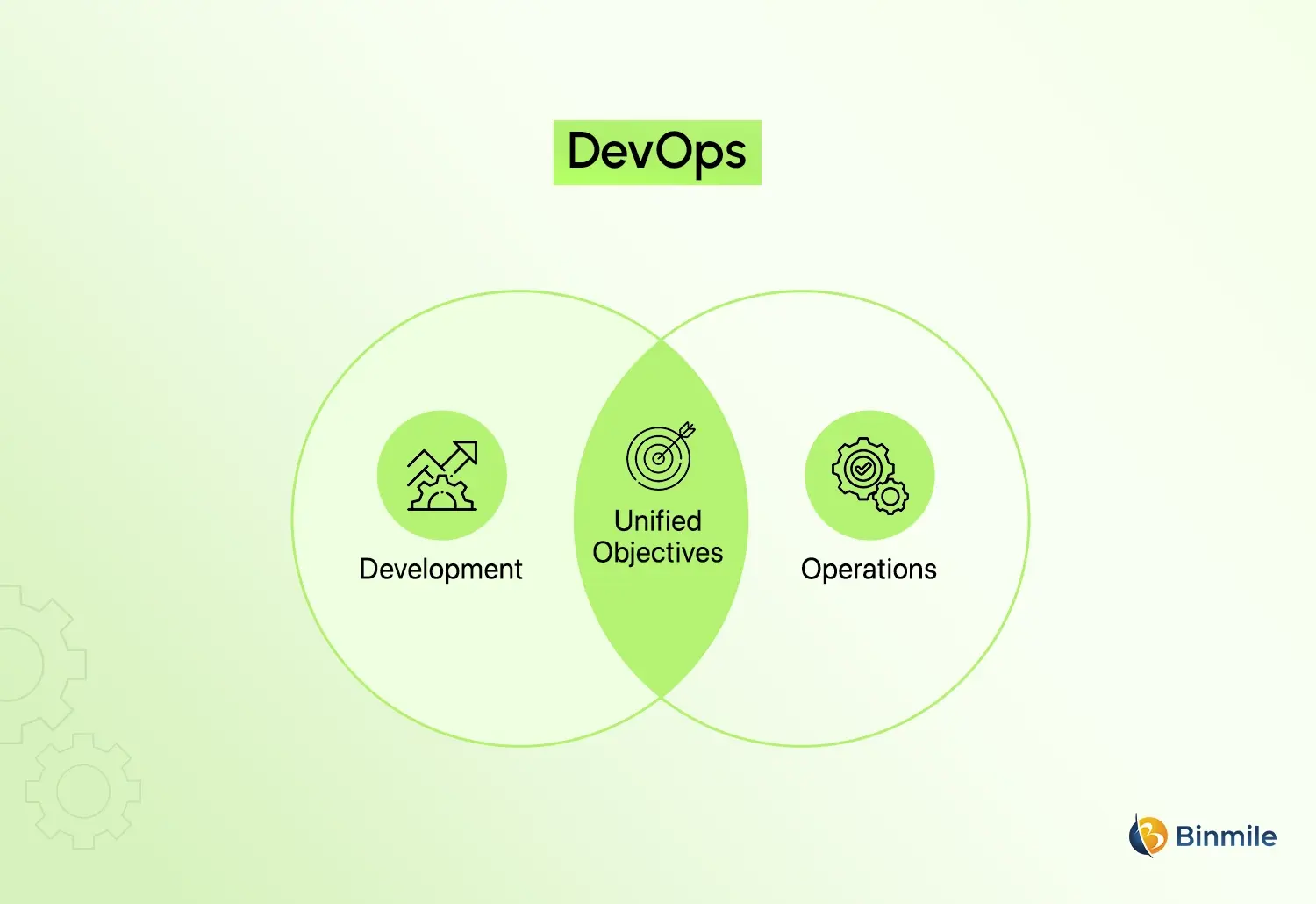
When teams talk about building a DevOps pipeline, they are essentially creating a system where every code change is automatically validated, tested, and delivered. This reduces human error and accelerates release cycles.
DevOps methodology focuses on collaboration between development and operations. Pipelines are the backbone of this methodology because they enforce consistency, automation, and visibility across the software development process. When aligned with Agile methodology in the software development lifecycle, these pipelines become even more efficient and adaptable to changing business needs.
What Are the Benefits of a DevOps Pipeline For Enterprises
DevOps pipelines are not just a technical improvement; they directly influence how quickly, reliably, and efficiently a business can deliver value to its customers.
-
Faster Delivery Cycles
By removing the manual tasks from the software development lifecycle, automation allows teams to release new features much more frequently and respond more agilely to market changes. For companies, this directly equates to reducing time to market, gaining faster customer feedback, and establishing a competitive edge in today’s fast-paced business environment.
-
Improved Quality
Continuous testing enables teams to discover defects earlier in the development lifecycle, rather than at the time of deployment. This significantly reduces the number of production failures and increases the reliability of the final product. The ultimate result of this is a reduction in the number of customer complaints, increased trust in the brand, and lower costs for fixing defects that are discovered at the end of the process.
-
Better Collaboration
Using the DevOps methodology allows development, operations, and testing teams to work collaboratively instead of within their individual silos. The result is a single view of the entire system by all team members and improved communication to eliminate misunderstandings and allow for quicker decision-making, which is an important factor for large organizations that are managing multiple teams.
-
Reduced Costs
Automation helps eliminate redundant work and decreases the number of people who are required to perform manual activities. As a result of this, operational overhead is reduced, and the opportunity for resource waste is minimised. In addition, over a period of time, many organizations rely on DevOps consulting to enjoy substantial cost savings due to reduced downtime, eliminated rework, and optimized the use of their infrastructure.
-
Scalability
DevOps pipelines are designed for cloud native architectures and dynamic scalability. As there are increased business demands, pipelines are able to accommodate increased workloads without sacrificing performance. As a result, systems will continue to be stable and responsive, even in times of increasing load.
What Are the DevOps Pipeline Stages
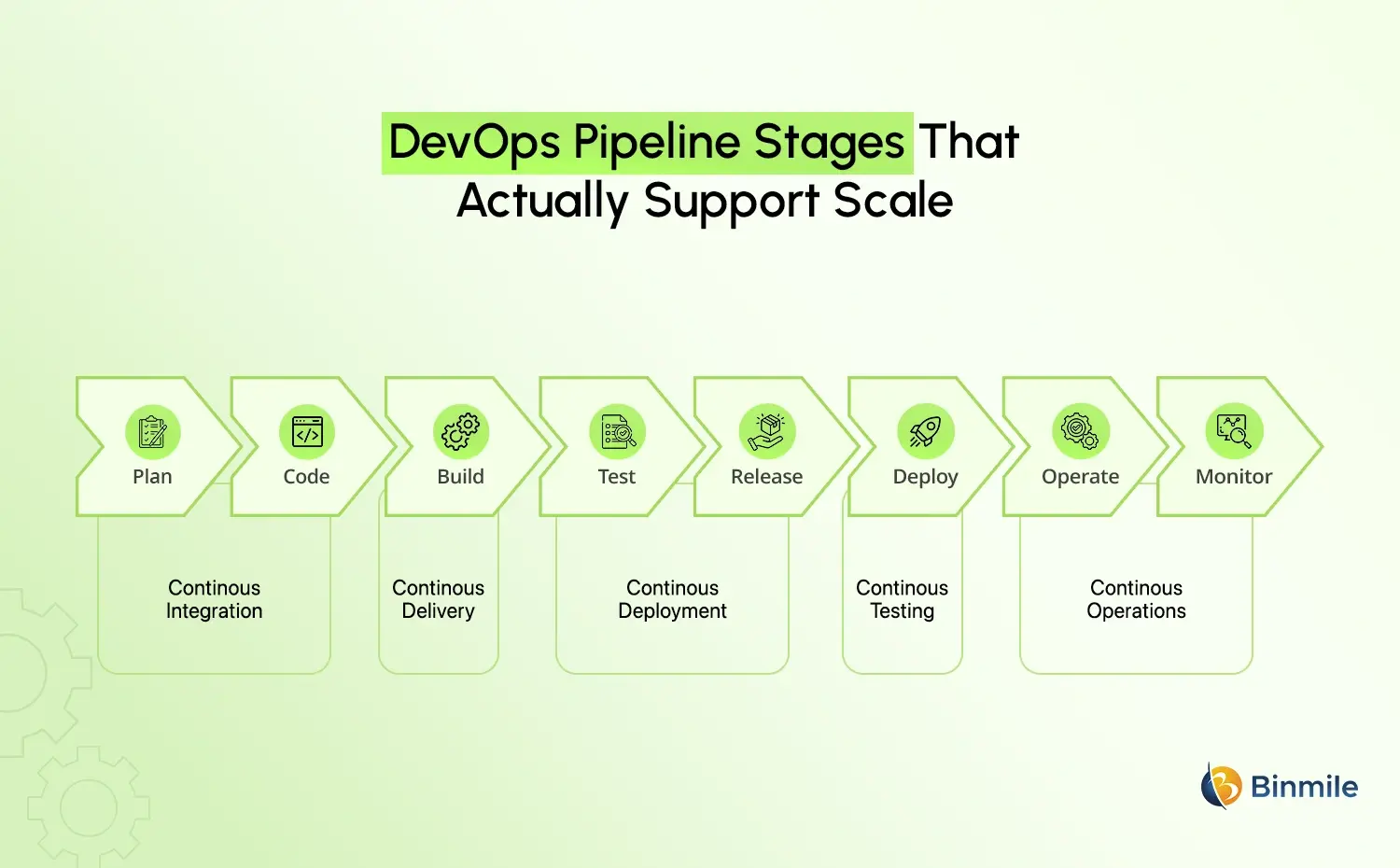
Understanding DevOps pipeline stages is critical for designing an efficient workflow. Each stage serves a specific purpose and contributes to overall delivery quality.
1. Plan Stage
At the planning stage, requirements are determined, priorities are established, and business objectives are aligned with workflows. A strong foundation for the planning process reduces potential rework in the future.
2. Code Integration Stage
At the code integration stage, developers commit code to a shared code repository. Continuous integration is the process by which changes are merged frequently into the source code repository, and where CI/CD comes together.
3. Build Stage
During the build stage, code is compiled into a deployable state, i.e., prepared for testing.
4. Testing Stage
In order to validate the functional, performance, and security characteristics of the system, automated testing is performed at the testing stage. This may include unit testing, integration testing, and possibly validation of security using a DevSecOps methodology.
5. Release Stage
The validated build is packaged for deployment, and the versioning and approval processes occur at the release stage.
6. Deployment Stage
With continuous Deployment in a DevOps environment, releases of applications are automatically deployed to Production or Staging environments.
7. Operate Stage
The operating stage is where the management of applications occurs in a production environment. This includes ensuring the availability, reliability, and performance of the applications.
8. Monitoring Stage
Post-deployment monitoring of the application ensures system health and builds a loop of feedback into the development process for future releases.
These stages together create a seamless flow that improves both speed and reliability.
What Is a DevOps Pipeline Architecture
DevOps pipeline architecture refers to the overall structure and design that connects development, testing, deployment, monitoring, and operational workflow. Before understanding how DevOps pipelines operate, it is important to understand the key components that make them effective.
-
Source Code Management
Source Code Management is the backbone of any DevOps pipeline. It offers developers the opportunity to centralize their code in one repository, allowing groups of developers to work concurrently on code within the same repository without conflicting. Version Control provides a means for changes to be tracked and rolled back.
-
Continuous Integration (CI)
Continuous Integration is the process of merging code changes into the central code repository on a regular and automated basis. Whenever a developer submits a code change, an automated build and test will be performed to validate the change. This assists in discovering defects as early in the development cycle as possible, reducing the probability of discovering a major defect at a later point.
-
Continuous Delivery and Deployment
Continuous Delivery keeps the system/application in a state of readiness for deployment at all times. In contrast, Continuous Deployment continuously deploys completed builds to the production environment. Continuous deployment can eliminate delays created by relying on manual processes and ensure that new features and fixes make their way to users as quickly as possible.
-
Automated Testing
Automated Testing is critical for maintaining software quality through the entire DevOps pipeline. Various types of automated tests should be performed on the code before it is released into production (such as unit tests, integration tests, and performance tests). Automated tests are performed every time changes are made, ensuring that the system functions correctly despite the fact that changes have been made to that code base.
-
Infrastructure and Configuration Management
Infrastructure and configuration management enable all development, testing, and production environments to be uniform in nature. That standardization uses tooling through automation to determine and manage the system’s configuration; this minimizes possible environmental issues. Additionally, infrastructure and configuration management provide standardization across all environments, thereby mitigating unplanned issues during deployment. In other words, applications will behave identically regardless of which environment they are in.
-
Monitoring and Feedback
Monitoring and feedback provide visibility into the performance & health of the applications after deployment. This part of monitoring tracks various metrics such as system performance metrics, whether users are actively using the application, and whether there could have been any issues or possible failures. The insights derived from monitoring help teams very quickly identify issues and make data-driven improvements.
Want to streamline your software delivery and reduce release delays? Build a smarter DevOps pipeline tailored to your business needs.

What Are the DevOps Pipeline Tools
Choosing DevOps pipeline tools is where many enterprises go wrong. They either overcomplicate the stack or choose tools that do not integrate well.
What Matters When Selecting Tools
Instead of just listing tools, decision-makers should evaluate:
- Integration capabilities across systems
- Scalability under high workloads
- Security and compliance support
- Ease of automation
- Cost vs long-term value
Many companies utilize Azure DevOps pipelines extensively because they are able to support an entire workflow cycle and work well with many cloud ecosystems. Another reason that the Azure DevOps pipeline is valuable to enterprises is that these companies often have a Microsoft-based IT infrastructure already in place.
The goal is not to use more tools, but to use the right combination that supports DevOps Automation and long-term scalability.
What Are the Common Tool Categories
| Category | Purpose | Example |
|---|---|---|
| Version Control | Manage code changes | Git |
| CI/CD Tools | Automate build and deployment | Azure DevOps Pipeline |
| Containerization | Package applications | Docker |
| Orchestration | Manage containers | Kubernetes |
| Monitoring | Track performance | Grafana |
The focus should always be on building a cohesive ecosystem that supports a DevOps strategy rather than using disconnected tools.
What Are the Challenges in DevOps Pipelines
Scaling DevOps pipeline architectures comes with real challenges that cannot be ignored.
-
Complex Toolchains
Multiple unique tools integrated with disparate functions create more problems than they can solve, generating delays to existing work, reducing productivity, and making it difficult to keep your processes consistent throughout the entire pipeline.
-
Lack of Standardization
Lack of standardization among teams using varied processes leads to inconsistent deployed code quality, deployment methods, and monitoring practices. Therefore, as a team becomes more misaligned, there is an increased likelihood of errors occurring, which can cause delays in code delivery.
-
Security Gaps
Vulnerability identification through DevSecOps is not incorporated at the system level, so the introduction of vulnerable code is at risk of going unnoticed; as size (volume) increases with time, even small exposure can create significant vulnerability and compliance issues.
-
Skill Limitations
Experience with automated DevOps pipeline implementation requires experience using either automated processes, cloud infrastructure, or security protocols. Lacking experienced personnel in these areas creates an opportunity for inefficient deployment cycles.
-
Infrastructure Constraints
Legacy systems typically do not provide an optimal solution to the automation and scaling you are seeking, so creating bottlenecks will lead to increased complexity in operation.
Recognizing these challenges early is critical to building a resilient pipeline.
What is a DevOps Pipeline Implementation Strategy
A successful DevOps pipeline implementation is not just about tools. It requires a well-defined DevOps strategy.
1. Start with CI/CD Foundation
Automate the validation of your code and deployment of your applications by creating a continuous integration and continuous delivery (CI/CD) process.
2. Choose the Right DevOps Pipeline Tools
Choose the right toolset that meets your requirements in terms of infrastructure and scalability. Common tools include Jenkins, GitLab CI, and Azure DevOps pipelines for enterprise-level workflows.
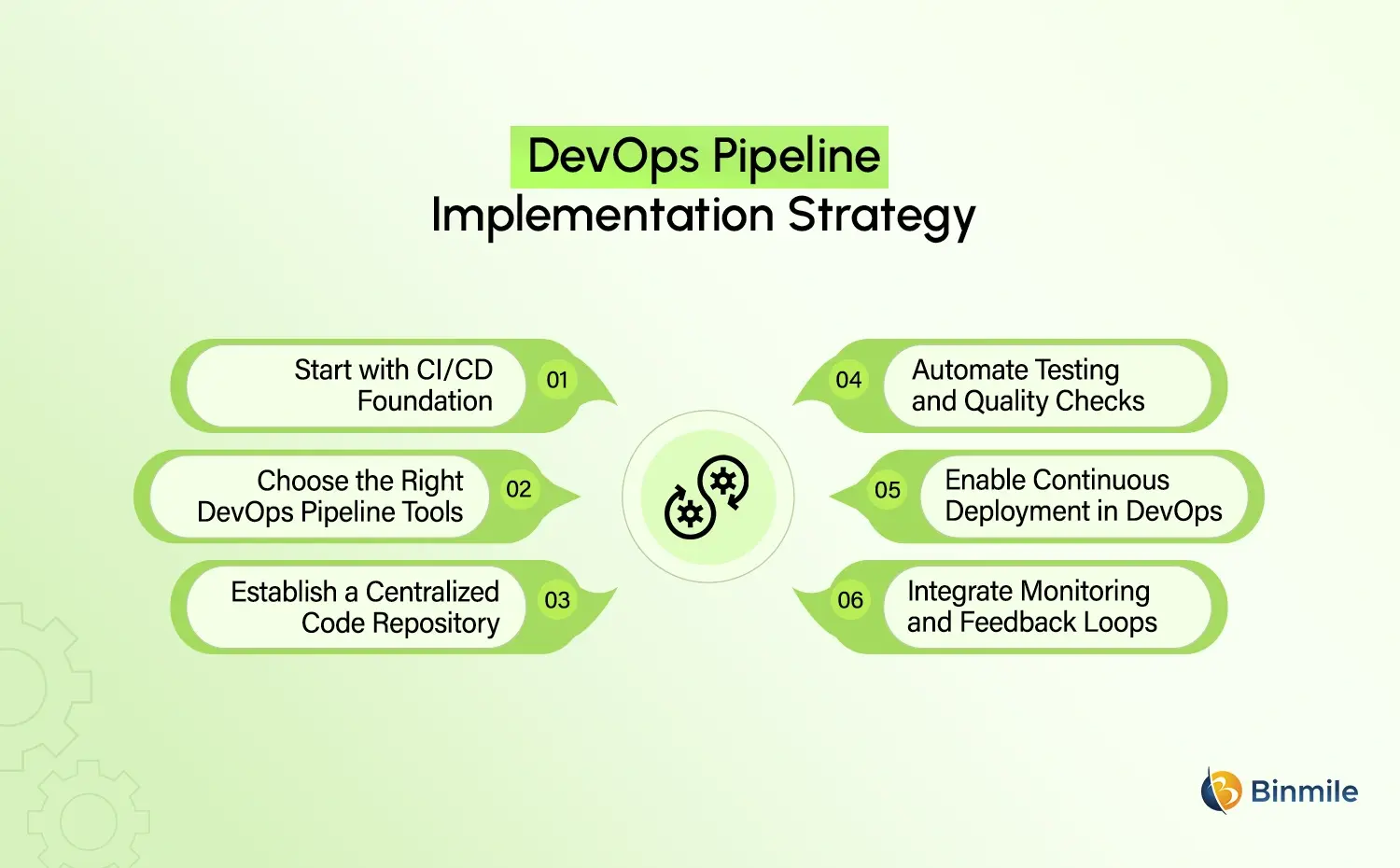
3. Establish a Centralized Code Repository
Use version control tools to allow for collaboration and maintain consistency across your codebase.
4. Automate Testing and Quality Checks
Ensure that your application runs at an optimal level by implementing test automation frameworks in your DevOps pipeline.
5. Enable Continuous Deployment in DevOps
Automate the deployment of your applications and provide rollback capabilities for when there are problems with your production environment.
6. Integrate Monitoring and Feedback Loops
Track the performance of your application through monitoring tools and continue to improve the efficiency of your CI/CD pipeline.
Organizations offering DevOps as a Service and DevOps Consulting often help businesses design and implement these strategies effectively.
What Are the Future Trends in DevOps Pipelines
The future of DevOps pipelines is evolving rapidly with technology advancements.
-
AI-Driven Automation
AI is being used to anticipate bundle failures, optimize bundles, and decrease the need for humans in the workflow. This increases productivity and gives teams the ability to resolve problems before they affect production.
-
Serverless Architectures
The use of serverless computing removes the need for managing the cloud’s supporting infrastructure, allowing organisations to focus their resources on building and innovating.
-
DevSecOps Integration
The integration of security into the development pipeline is transitioning from an afterthought to a critical component of the CI/CD process. The use of continuous security testing reduces vulnerabilities and creates awareness of compliance within the development teams.
-
Low-Code and No-Code Integration
The use of low-code/no-code platforms allows for the simplification of the development process for end-users; therefore, even non-technical end-users can participate in the automation development process.
-
Multi-Cloud Strategies
Organizations are adopting multiple clouds and hybrid-cloud architecture to provide greater flexibility and reliability, reduce the risk of vendor lock-in, and provide redundancy and backup services.
These trends are shaping modern DevOps Strategy and driving the adoption of advanced DevOps Automation Tools.
Struggling with slow deployments and operational inefficiencies? Transform your workflows with scalable DevOps automation.

How Binmile Can Support Your DevOps Journey
Building and scaling effective DevOps pipelines is not just a technical challenge; it requires a thorough understanding of the overall objectives of the business, the infrastructure involved in delivering services (both on-premise and cloud-based), as well as the issues associated with developing and scaling those services over time. A well-defined process can be key to supporting organizations in all these areas.
Binmile helps organizations build and align their software development processes with DevOps by guiding on designing robust DevOps pipeline architectures and helping companies set up efficient CI/CD workflows that both increase speed to delivery and lower operational risks. Our approach combines the use of DevOps Automation Tools, Cloud Integrations, and DevSecOps practices to create pipelines that are highly efficient, secure, and dependable.
For enterprises seeking to modernize their systems, optimize their workflows, or implement continuous deployment as part of their DevOps strategy, choosing the right partner will help ensure a seamless transition and deliver measurable results.
Frequently Asked Questions
DevOps pipelines are automated workflows that manage the process of building, testing, and deploying software. They ensure consistent delivery by integrating development and operations tasks into a seamless system.
They automate repetitive tasks such as testing and deployment, reducing manual effort and delays. This allows teams to release updates faster and more frequently without compromising quality.
Automated testing and monitoring help identify issues early. This minimizes failures in production and ensures that only validated code is deployed.
By enabling rapid experimentation and feedback, pipelines allow teams to test new ideas quickly and improve products continuously.
They connect with cloud services to enable scalable deployments, automated infrastructure management, and better resource utilization.
Initial setup may require investment, but long-term savings come from reduced manual effort, faster releases, and fewer production issues.
With DevSecOps practices, pipelines can integrate security checks at every stage, ensuring compliance and reducing vulnerabilities.