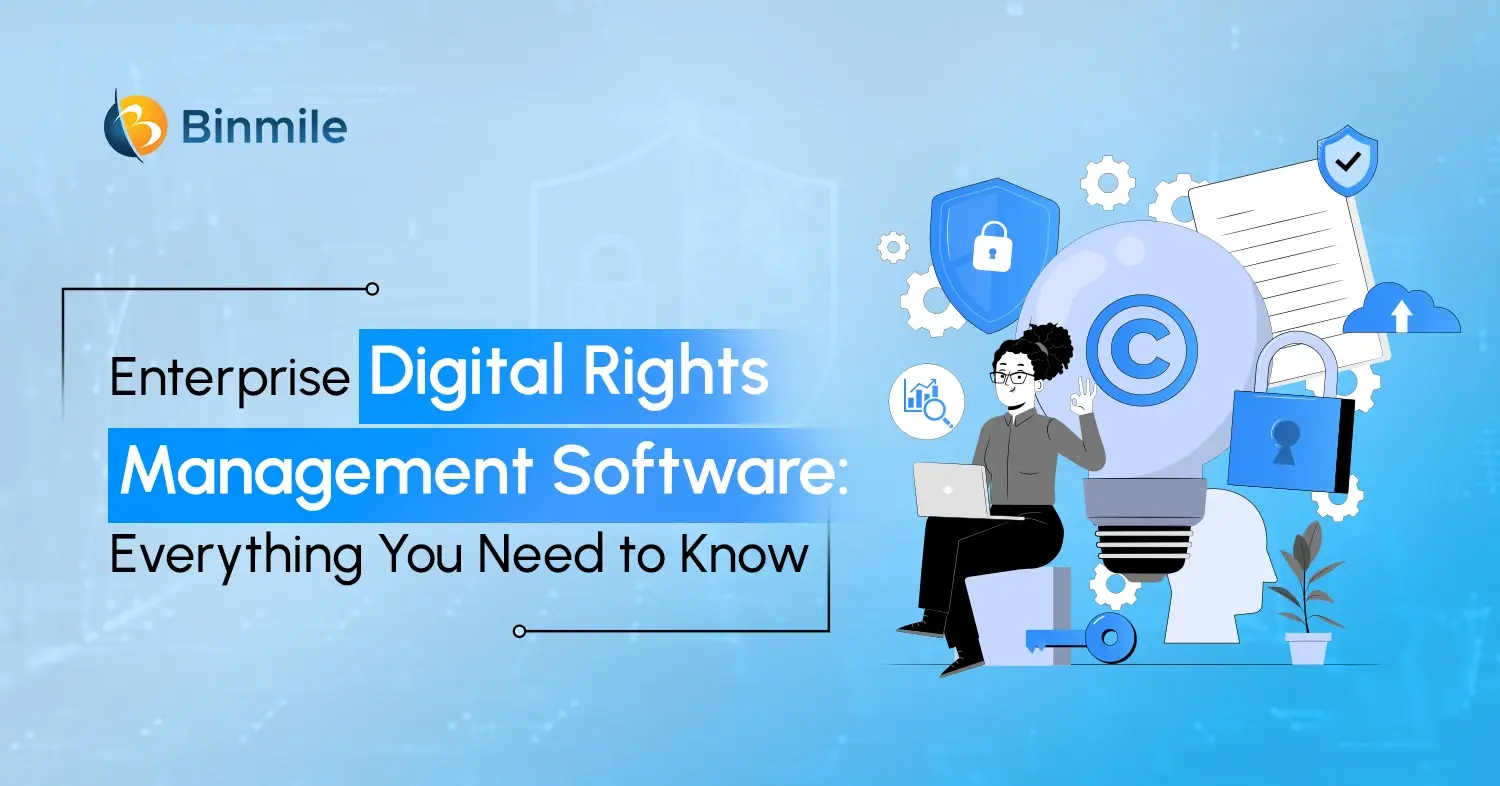
A business can have strong firewalls, identity controls, and secure cloud infrastructure and still lose control of its most valuable digital assets once they are downloaded, shared, or sent outside the corporate environment. That is where Digital Rights Management software becomes important. The global digital rights management market was valued at USD 6.9 billion in 2025 and is projected to reach USD 20.37 billion by 2034, growing at a CAGR of 12.78%. The growth reflects a broader enterprise need to control not only who can access digital content, but also what they can do with it after access is granted.
For enterprises, DRM is no longer limited to protecting movies, music, or ebooks from piracy. Modern organizations use it to protect confidential documents, research, product designs, training materials, software, customer information, media files, intellectual property, and other high-value digital assets. Additionally, this guide explains how enterprise DRM works, why businesses need it, the technologies behind it, the features worth evaluating, common use cases, implementation considerations, compliance benefits, and how to build an effective DRM strategy.
What Is Digital Rights Management Software?
Digital Rights Management software is a technology that controls how digital content is accessed, viewed, shared, copied, downloaded, or distributed.
Unlike traditional security, which mainly protects the system where a file is stored, DRM can keep protection attached to the content even after it has been downloaded or shared. For example, a company can allow a partner to view a confidential proposal while restricting printing, copying, downloading, or access after a set period.
This is especially useful for enterprises where documents, research, intellectual property, and other digital assets regularly move between employees, partners, contractors, and customers.
How Does an Enterprise DRM System Work?
An enterprise DRM system typically combines identity, encryption, access policies, licensing, monitoring, and rights enforcement.
The process generally works like this:
1. Content Is Identified and Classified
Organizations first determine which files, media, software, or intellectual property require protection. Content can then be classified based on its sensitivity and business value.
2. Rights and Policies Are Defined
Administrators establish who can access the content and what they can do with it. Permissions may include viewing, editing, downloading, printing, copying, or sharing.
3. Content Is Encrypted
The DRM system encrypts protected content so unauthorized users cannot access it, even if they obtain the underlying file.
4. Users Are Authenticated
Before granting access, the system verifies the user’s identity. DRM can integrate with existing enterprise identity and access management systems to simplify this process.
5. Rights Are Enforced
Once the user is authenticated, the DRM platform applies the relevant permissions based on factors such as the user’s role, device, location, or access conditions.
6. Usage Is Monitored
Organizations can track access activity and monitor how protected content is being used. Additionally, this provides greater visibility and supports security investigations and compliance requirements.
7. Rights Can Be Modified or Revoked
Permissions can be changed or withdrawn when circumstances change. For example, access can be revoked when an employee leaves, a contract ends, or sensitive information should no longer be available.
This makes DRM particularly useful for organizations where information continues to move after the initial point of access.
Why Do Enterprises Need Digital Rights Management Software?
The biggest reason is simple: access does not always mean control. Giving someone permission to view a document does not necessarily mean the organization wants them to print it, copy its contents, upload it elsewhere, or share it with another person.
Enterprise DRM addresses this gap.
-
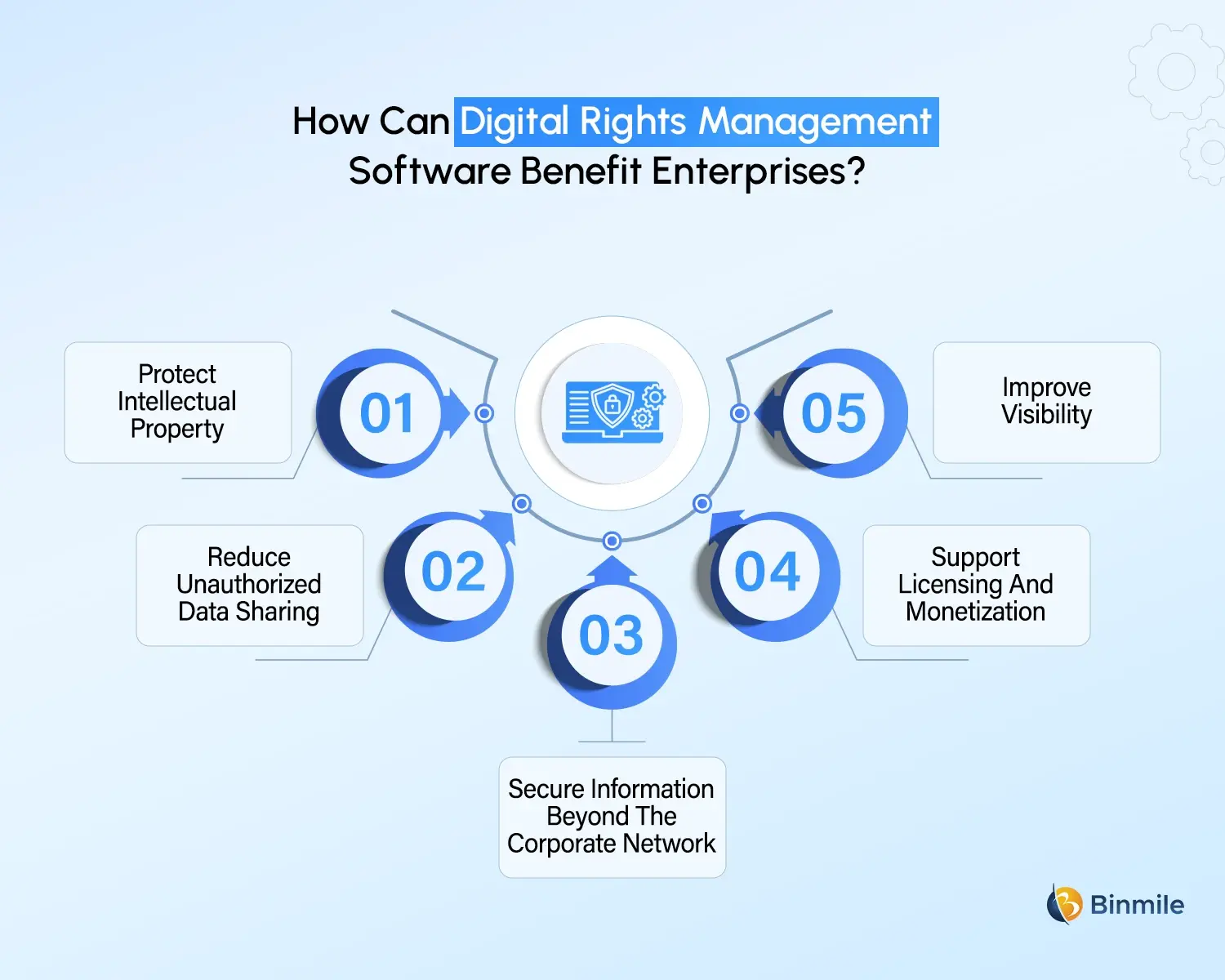
Protect Intellectual Property
Product designs, research documents, source materials, training content, technical documentation, presentations, and proprietary processes can represent years of investment. Additionally, unauthorized copying or distribution can create financial and competitive damage.
DRM can restrict how these assets are used and provide additional visibility into their distribution.
-
Reduce Unauthorized Data Sharing
Employees and third parties regularly exchange files through email, cloud storage, collaboration platforms, and other channels. A rights-based security layer can reduce the risk associated with uncontrolled sharing.
-
Secure Information Beyond the Corporate Network
One of the strengths of DRM is its ability to protect content outside the traditional security perimeter. A protected document can retain usage restrictions after being downloaded or shared.
-
Support Licensing and Monetization
Organizations that sell digital content, software, subscriptions, courses, research, or premium media can use DRM to enforce licensing terms.
For example, a customer may purchase access for a specific period or number of users. Additionally, the DRM platform can enforce those conditions instead of relying entirely on contractual agreements.
-
Improve Visibility
Many enterprises know who accessed a system but have limited visibility into what happens to a document afterward. Additionally, DRM can provide additional usage information, helping organizations understand how sensitive assets are being accessed and shared.
Digital Rights Management Technologies Enterprises Should Know
Modern DRM does not rely on a single technology. It brings together multiple security and governance capabilities.
| Technology | Role in DRM |
|---|---|
| Encryption | Protects content from unauthorized access |
| Identity and Access Management | Verifies users and determines eligibility |
| Digital Watermarking | Helps identify ownership or trace distributed content |
| License Management | Controls usage based on contractual rights |
| Access Policies | Defines what users can and cannot do |
| Rights Revocation | Withdraws access when circumstances change |
| Audit Logging | Records access and usage activity |
| Device Controls | Restricts access to approved devices or environments |
| Expiration Controls | Automatically ends access after a defined period |
| Usage Analytics | Helps organizations monitor content activity |
The combination matters more than any individual technology. A strong DRM implementation connects these capabilities into policies that reflect actual business requirements.
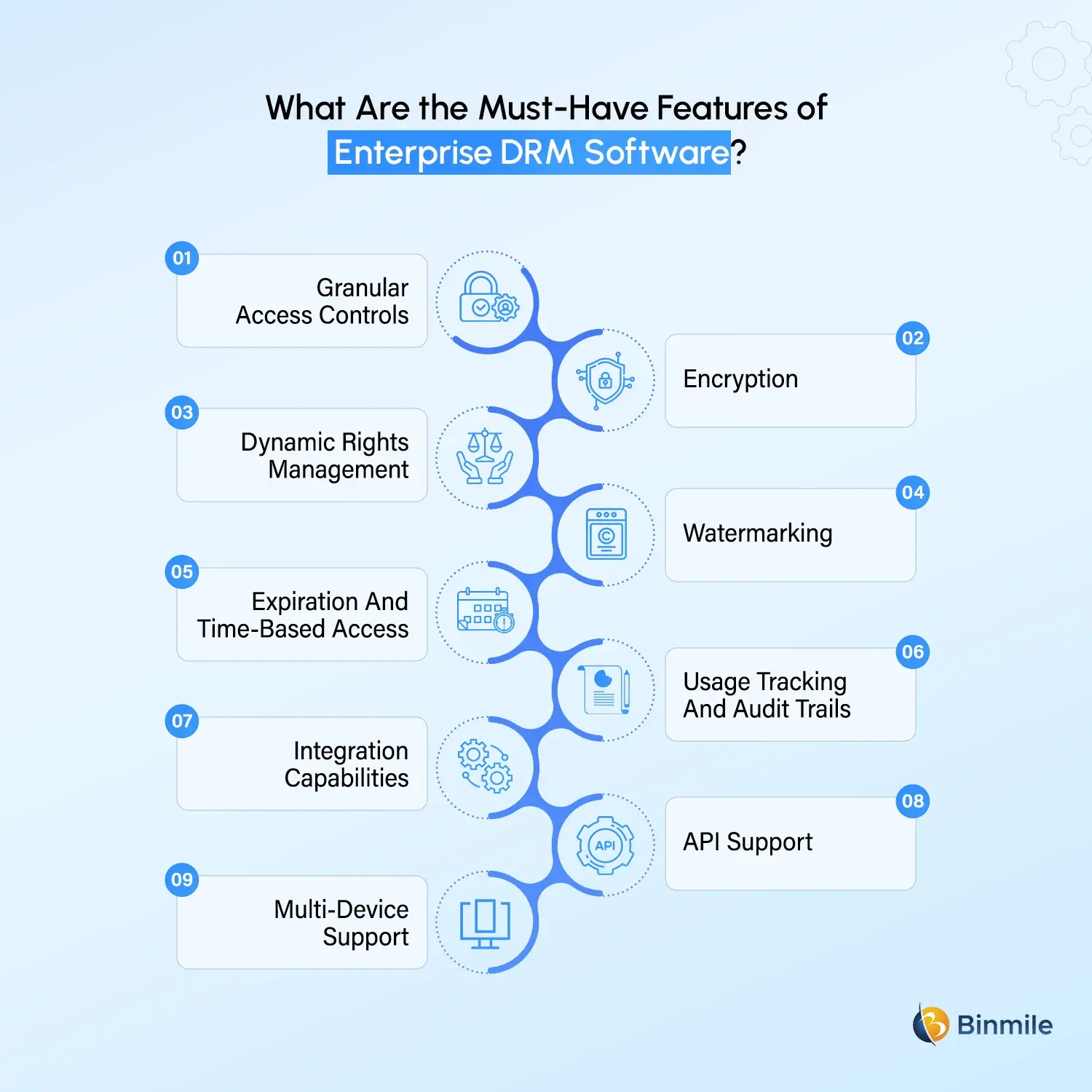
What Are the Key Features to Look for in Enterprise DRM Software
Choosing among different digital rights management tools can become complicated because enterprises have different content types, users, workflows, and regulatory requirements.
The following capabilities should be considered during evaluation.
-
Granular Access Controls
The platform should allow permissions to be assigned based on users, teams, roles, devices, locations, and other business conditions.
-
Encryption
Encryption should protect content both during storage and transmission. Additionally, for highly sensitive information, organizations should also understand how encryption keys are generated, stored, rotated, and managed.
-
Dynamic Rights Management
Permissions should not be permanently tied to a file. Administrators should be able to modify or revoke rights when business circumstances change.
-
Watermarking
Visible or invisible watermarks can help establish ownership and discourage unauthorized distribution. Additionally, for sensitive content, forensic watermarking can also support investigation into leaks.
-
Expiration and Time-based Access
Organizations should be able to create temporary access for contractors, customers, consultants, partners, and other external users.
-
Usage Tracking and Audit Trails
A useful DRM platform should provide visibility into who accessed protected content, when it was accessed, and what activities were permitted or performed.
-
Integration Capabilities
Enterprise DRM should work with existing business systems rather than creating another isolated security environment. Additionally, integration with identity providers, document repositories, digital asset management platforms, cloud services, collaboration tools, and enterprise applications can significantly improve adoption.
-
API Support
APIs allow organizations to embed DRM capabilities into existing applications, workflows, portals, and customer-facing platforms.
-
Multi-device Support
Employees and customers may access content from desktops, smartphones, tablets, and browsers. DRM controls need to work consistently across the environments relevant to the business.
Need stronger control over your digital assets and intellectual property?

What Are the Common Enterprise Use Cases for DRM
DRM can support several business scenarios beyond conventional copyright protection.
-
Confidential Business Documents
Companies can protect contracts, financial reports, board documents, strategic plans, proposals, and internal policies.
-
Research and Intellectual Property
Pharmaceutical, manufacturing, technology, and research organizations can restrict access to valuable research findings, product designs, technical specifications, and proprietary data.
-
Digital Media and Publishing
Publishers, broadcasters, streaming companies, and media organizations can control access to videos, ebooks, audio, photographs, and premium content.
-
Software and Applications
Software companies can use licensing controls to manage who can use a product, for how long, and under what conditions.
-
Training and Education
Organizations delivering paid courses or internal training can restrict unauthorized downloading, copying, or redistribution of learning content.
-
Healthcare
Healthcare organizations handle sensitive records, medical research, imaging, training content, and other information that may require strict access controls and usage governance.
-
Financial Services
Banks and financial institutions regularly distribute sensitive reports, customer-related documents, and investment research. Additionally, confidential financial information with internal and external stakeholders.
DRM vs Other Enterprise Security Technologies
DRM should not be treated as a replacement for every other security technology. It works best as part of a broader security architecture.
| Technology | Primary Purpose | How DRM differs |
|---|---|---|
| IAM | Controls who can access systems and resources | DRM can control what an authorized user can do with content |
| DLP | Detects and prevents sensitive data leakage | DRM protects the content itself through persistent usage restrictions |
| Digital Asset Management | Organizes and manages digital assets | DRM adds rights and usage controls to protected assets |
| Encryption | Makes information unreadable without the correct key | DRM combines encryption with permissions and usage policies |
| Enterprise Content Management | Manages business content and workflows | DRM adds persistent control over content usage |
| DRM | Controls access and permitted use of digital content | Combines several of these capabilities around digital rights |
How DRM Supports Regulatory Compliance
Compliance requirements vary by industry and region, but most frameworks emphasize controlled access, cloud data protection, accountability, and the secure handling of sensitive information. Additionally, DRM can support these requirements by using encryption, granular permissions, access monitoring, audit trails, time-limited access, rights revocation, and controlled sharing to keep protected content within defined boundaries.
It can also provide evidence of how and when sensitive assets are accessed, helping organizations maintain better visibility over their information. However, DRM is not a complete compliance solution on its own. Additionally, it should form part of a broader Enterprise Compliance Strategy, working alongside identity management, data governance, security monitoring, retention policies, and Cybersecurity best practices.
How To Build an Effective DRM Strategy
Buying DRM software is only the starting point. An effective DRM strategy begins with identifying which content actually needs protection and classifying it according to sensitivity and business value. Additionally, organizations should then determine who needs access, why they need it, how long they need it, and what actions they should be allowed to perform.
For instance, an internal finance team may be able to view and edit a document, while an external auditor may only receive view access for 30 days. Additionally, clear DRM practices should also cover policy creation, exception management, access reviews, monitoring, incident response, and employee awareness. The objective is to protect valuable information without making legitimate collaboration unnecessarily difficult.
How to Choose the Right DRM Software Solution
The best solution depends on what the organization is trying to protect and how that content moves through its ecosystem. Additionally, before selecting from available DRM software solutions, decision-makers should evaluate:
-
Content Types
Check whether the platform supports the formats your business actually uses, including documents, images, videos, audio, software, and other digital assets.
-
Deployment Model
Consider whether a cloud, on-premises, or hybrid deployment fits your existing infrastructure, security requirements, and data governance policies.
-
Integration Capabilities
The solution should integrate with existing IAM, DAM, ECM, cloud storage, and collaboration platforms. Additionally, business applications to avoid creating another isolated security layer.
-
Scalability
Assess whether the platform can support your current users and content volume while scaling to accommodate future growth.
-
Security Controls
Look for encryption, authentication, granular permissions, policy enforcement, monitoring, and watermarking. Additionally, rights revocation to ensure protection extends beyond simple access control.
-
User Experience
Security should not come at the expense of usability. Additionally, employees, customers, and partners should be able to access legitimate content without unnecessary complexity.
-
Administration
Security teams should be able to create, update, review, and enforce policies without excessive administrative effort.
-
Analytics and Monitoring
The platform should provide useful visibility into content access, usage patterns, and potentially suspicious activity.
-
API Capabilities
API support is important when DRM needs to be embedded into existing applications, portals, workflows, or customer-facing platforms.
-
Total Cost of Ownership
Look beyond licensing costs. Additionally, consider implementation, integration, infrastructure, maintenance, support, customization, and future scaling when evaluating the overall investment.
The Role of Custom DRM Development
Off-the-shelf DRM products can meet standard requirements, but enterprises with complex workflows may need greater customization. Additionally, custom DRM development can support specialized licensing models, proprietary applications, unique workflows, custom policy engines, and industry-specific integrations.
A digital rights management solution can also integrate with Digital Asset Management Software, cloud storage, identity platforms, enterprise content repositories, and customer portals. Additionally, this allows DRM to become part of the organization’s existing security and content governance architecture rather than functioning as another disconnected system.
How Can a Technology Partner Help Implement Enterprise DRM Software?
Enterprise DRM implementation requires more than installing a product. Additionally, the technology partner needs to understand the organization’s content lifecycle, security architecture, users, compliance requirements, and existing applications.
A capable partner can help assess current content protection gaps, define access policies, select appropriate DRM solutions, and design the architecture. Additionally, integrate the platform with existing systems, migrate protected assets, test rights enforcement, and establish monitoring processes.
This becomes particularly valuable for organizations undertaking broader Digital Transformation, Cloud Data Protection, Cloud Security assessment, or Enterprise Content Management consulting initiatives.
The objective should be to make DRM fit naturally into existing workflows while strengthening control over valuable digital assets.
Looking to protect your enterprise content without compromising collaboration?

How Binmile Can Help With Enterprise Digital Rights Management Software
Enterprise DRM works best when it is treated as part of a broader technology and security strategy rather than as an isolated tool. Binmile, a custom software development company, can help organizations assess their existing content protection environment, identify gaps, design a DRM architecture, and develop or integrate capabilities based on their business and security requirements. Additionally, this can include connecting rights management with existing enterprise applications, cloud environments, content repositories, identity systems, and digital asset workflows.
For organizations with specialized requirements, a tailored approach can provide greater control over policies, integrations, licensing models, and user experiences than a standard implementation. Additionally, the focus should remain on building a scalable and practical DRM environment that protects valuable content without creating unnecessary friction for legitimate users.
Frequently Asked Questions
Digital Rights Management software protects digital content by controlling who can access it and what they can do with it. It typically uses encryption, authentication, permissions, licensing, monitoring, watermarking, and access revocation to enforce content usage policies.
Enterprises use DRM to protect intellectual property, confidential documents, research, media, software, and other valuable digital assets. It helps control copying, sharing, downloading, and access while providing greater visibility into how protected content is being used.
Media, publishing, software, education, healthcare, financial services, technology, manufacturing, and research organizations can benefit significantly. Any enterprise that creates, licenses, distributes, or regularly shares valuable digital content can use DRM to strengthen content protection.
Important capabilities include encryption, granular permissions, license management, watermarking, access expiration, rights revocation, audit trails, usage analytics, identity integration, APIs, multi-device support, and compatibility with existing enterprise applications and content repositories.
DRM can support compliance by enforcing controlled access, encrypting sensitive content, monitoring usage, maintaining audit records, and revoking access when necessary. However, it should complement broader governance, security, privacy, retention, and compliance controls rather than replace them.
A technology partner can assess protection requirements, design the DRM architecture, select or develop suitable capabilities, integrate them with existing systems, establish rights policies, migrate content, test controls, and provide ongoing optimization as business and security requirements evolve.