ServiceNow is at the forefront of technology in enterprise workflows. According to ServiceNow, the platform has been a backbone for 85% of the Fortune 500 companies, which is a clear indicator of its significance in industries like IT, HR, customer service, security, finance, and others. As companies implement AI agents, automation of processes, integrations, and custom apps within these environments, testing is more about ensuring that the implementation does not cause any disruptions in vital processes than testing the functionality of the form.
This is where a proper ServiceNow testing strategy comes in. This blog presents the importance of a proper testing strategy, the role of an automated test framework, the ways of regression testing and functional testing through ATF, types of test cases that need to be automated. It also analyzes how testing protects organizations from introducing AI and automation changes that turn every release into a high-risk endeavor.
Why ServiceNow Testing Needs a Strategy, Not Just More Test Cases
A ServiceNow instance rarely remains limited to its original configuration. Over time, organizations add custom workflows, business rules, integrations, applications, and automation. As these pieces build up, they also become connected. A change in one area can have an unexpected effect somewhere else.
Take an incident workflow as an example. Changing how an incident is assigned could affect notifications, approvals, SLAs, reporting, or a connected system. Once AI and automation become part of that workflow, there are even more dependencies to consider.
That is why testing should not be something teams rush through just before deployment. A strong ServiceNow Testing Strategy looks at the business processes involved, the integrations they depend on, user roles, customizations, upgrades, and the type of change being introduced.
Having more test cases does not necessarily mean having better coverage. What matters is whether the tests actually cover the processes the business depends on.
What Should a ServiceNow Testing Strategy Cover?
A practical testing strategy should be built around business requirements and risk. Different parts of a ServiceNow environment need different types of testing, depending on how they are configured and used. The exact approach also depends on an organization’s software testing requirements, particularly when ServiceNow is connected to multiple enterprise systems.
1. Functional Testing
ServiceNow functional testing checks whether workflows, forms, business rules, approvals, notifications, and scripts behave as expected. Rather than checking one field at a time, it is more useful to test the complete business flow, such as incident creation, assignment, approval, resolution, and closure.
2. Integration Testing
ServiceNow often works alongside HR systems, ERP platforms, identity providers, monitoring tools, and other enterprise applications. ServiceNow Integration Testing checks whether data, authentication, field mappings, transactions, and error handling continue to work correctly between these systems.
This becomes particularly important when an automated workflow depends on information coming from another application.
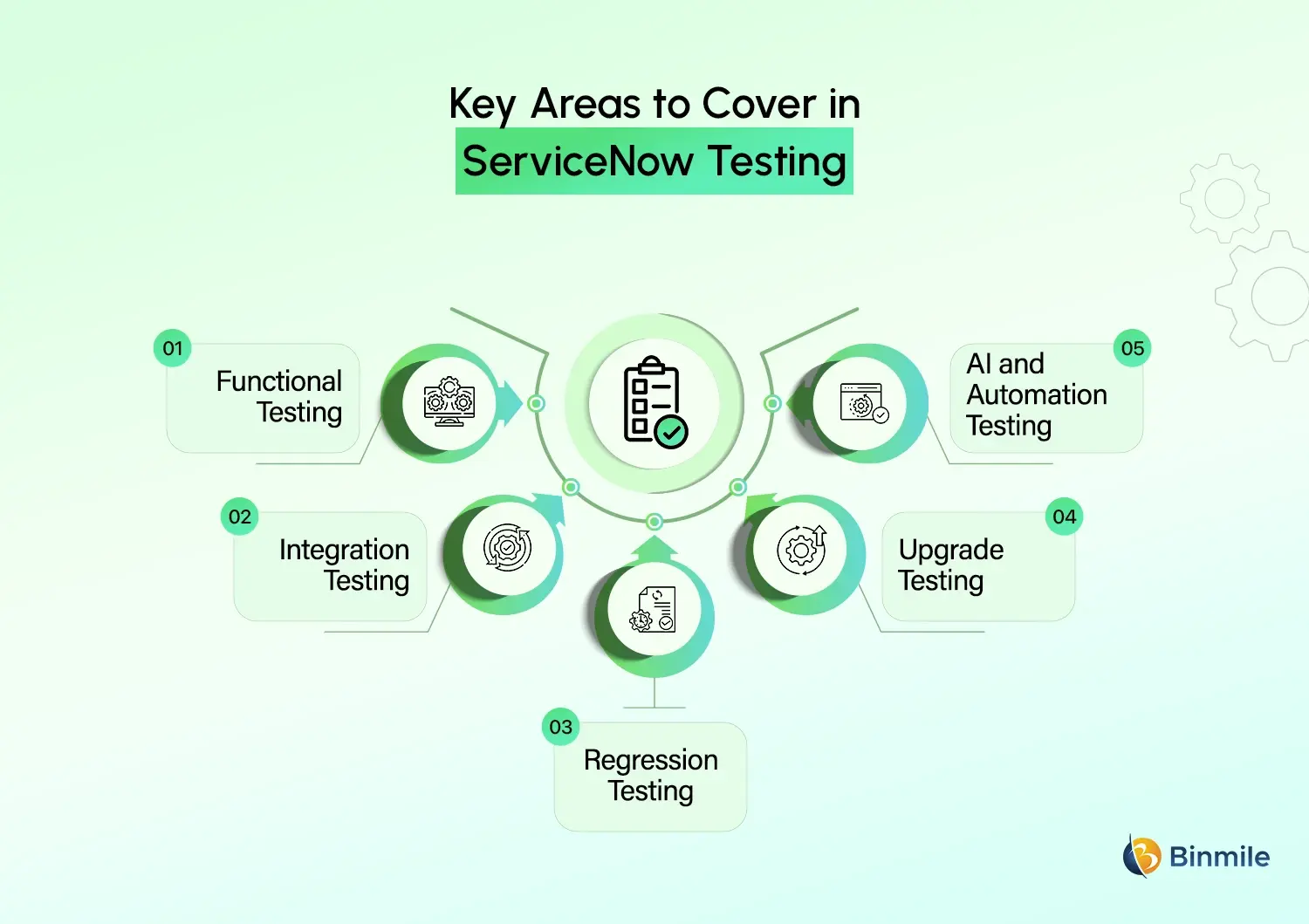
3. Regression Testing
ServiceNow regression testing makes sure existing functionality has not been affected by a new change, patch, upgrade, or integration. Since many regression scenarios are repeated regularly, they are also good candidates for automation.
Instead of manually going through the same workflow after every release, teams can run a reliable automated test suite and focus their time on investigating anything that fails.
4. Upgrade Testing
ServiceNow upgrades can affect custom applications, workflows, integrations, scripts, roles, reports, and automated processes. Upgrade testing helps identify issues before the updated instance goes live. A reusable regression suite can make this process much easier to manage, especially for environments with extensive customizations.
5. AI and Automation Testing
AI agents, Now Assist, and automated workflows introduce another layer of testing. Teams need to check whether the right data is being used, whether workflows trigger under the right conditions, whether AI outputs follow business rules, and whether automated actions respect permissions.
The focus should ultimately be on whether the AI-enabled process produces the intended business outcome, not simply whether the AI feature generates a response.
Where ServiceNow ATF Fits Into the Strategy
The ServiceNow Automated Test Framework, commonly called ServiceNow ATF, is ServiceNow’s native approach to automating functional tests. It can be used to check whether applications, configurations, and customizations continue to behave as expected after changes or upgrades.
ATF allows teams to create reusable tests around business processes and run them repeatedly. A test can identify a user, apply the required role, create or update a record, set field values, trigger a workflow, check the result, and record whether the test passed or failed.
This makes ATF particularly useful for regression testing and frequently used workflows. At the same time, it should not become a substitute for the overall testing strategy. Some scenarios are better handled manually, while others are worth automating because they are repetitive and business-critical.
ServiceNow ATF Test Cases: What Should You Automate?
Trying to automate every test is rarely a good use of time. A better approach is to look at how often a scenario runs, how important it is to the business, how predictable the steps are, and how often the test needs to be repeated.
| Test Scenario | Automation Priority | Why |
|---|---|---|
| Critical incident workflow | High | Business-critical and frequently repeated |
| User onboarding workflow | High | Multiple steps and role-based validation |
| Approval process | High | Easy to repeat and validate |
| Core integration workflow | High | Higher regression risk |
| Complex one-time configuration | Medium | Depends on how often it changes |
| Highly visual UI validation | Medium | May need additional testing methods |
| Exploratory testing | Low | Requires human judgment |
| Load and stress testing | Low for ATF | Better suited to dedicated performance tools |
ATF is primarily suited to functional and regression testing. It should not be treated as a replacement for dedicated performance or load testing tools. If the question is how a ServiceNow environment behaves under heavy concurrent usage, a different testing approach is more appropriate.
From regression testing to ATF automation, build a testing strategy that reduces manual effort while keeping critical workflows reliable.

A Practical ServiceNow Test Strategy Using ATF
A useful testing process starts with the business rather than the tool.
Step 1: Identify Critical Business Processes
Begin with the workflows where a failure could cause significant operational problems. For an IT organization, this could include incident management, change management, request fulfillment, or employee onboarding.
The first question should not be, “What can we automate?” It should be, “What can the business not afford to have break?”
Step 2: Define ServiceNow Test Cases
Once the important workflows are clear, document what should happen at each stage. The test case should cover the relevant user role, test data, actions, expected result, and validation points.
Well-defined ServiceNow Test Cases make testing easier to repeat and make failures easier to investigate.
Step 3: Convert Repeatable Scenarios Into ATF Tests
Look for scenarios that follow the same steps every time and have a clear expected result. Business-critical tests that need to be repeated after releases, upgrades, or configuration changes are usually strong candidates for ATF automation.
Step 4: Organize Tests Into Suites
As the number of tests grows, grouping them into logical suites makes them easier to manage. Teams can maintain separate suites for areas such as ITSM regression, employee onboarding, or integrations.
This also makes ServiceNow test management more practical because teams can quickly identify which tests belong to a particular business process or release.
Step 5: Run Tests in Non-Production Environments
ATF tests should be run in development or test environments rather than production. This protects live data and avoids situations where an automated test accidentally triggers a real notification, workflow, or operational change.
Step 6: Review Failures, Fix the Cause, and Retest
A failed test does not automatically mean there is a software defect. The cause could be a configuration change, incorrect test data, an integration issue, a dependency, or a test that has become outdated.
Reviewing the test results and logs helps teams understand what actually changed and decide whether the application or the test needs to be updated.
ServiceNow ATF Best Practices That Keep Automation Reliable
Automated tests also need maintenance. If they are poorly designed, teams can spend more time fixing unreliable tests than getting value from them.
-
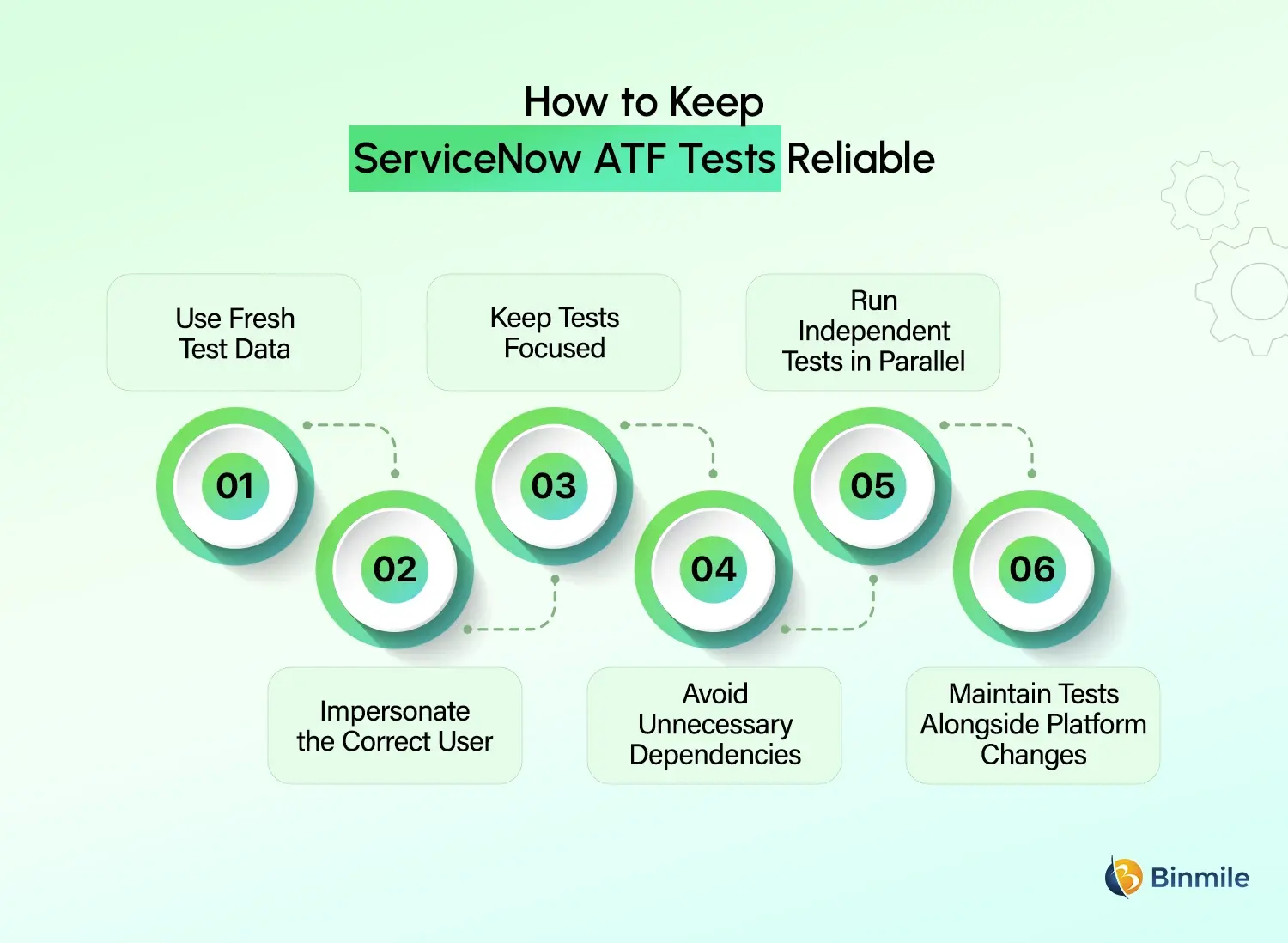
Use Fresh Test Data
Tests should rely on controlled data wherever possible instead of depending heavily on records that happen to exist in the instance. This makes results more predictable and reduces failures caused by unrelated changes.
-
Impersonate the Correct User
Permissions and roles can change what a user is able to see or do in ServiceNow. Tests should therefore run in the appropriate user context when validating role-based workflows.
-
Keep Tests Focused
A test does not need to cover an entire enterprise process. Keeping individual tests focused makes them easier to understand, troubleshoot, and update when something changes.
-
Avoid Unnecessary Dependencies
When one test depends on another test creating data first, a failure in the first test can affect several others. Where practical, tests should manage the data and conditions they need themselves.
-
Run Independent Tests in Parallel
Running independent tests at the same time can reduce overall execution time. However, tests that share data or resources need to be identified before using parallel execution.
-
Maintain Tests Alongside Platform Changes
An automated test is not a set-and-forget asset. When workflows, fields, roles, integrations, or business rules change, the related tests should be reviewed as well. Otherwise, the test library can quickly stop reflecting the actual ServiceNow environment.
ServiceNow Testing Tools: Is ATF Enough?
ATF covers many functional and regression testing requirements, but it is not designed to handle every testing scenario. The right approach depends on what needs to be validated.
| Testing Requirement | Suitable Approach |
|---|---|
| Functional workflow validation | ServiceNow ATF |
| Regression testing | ATF and automated suites |
| API validation | API testing tools |
| Integration validation | API and integration testing |
| Load testing | Dedicated performance tools |
| Exploratory testing | Manual testing |
| End-to-end enterprise workflows | Combined automation approach |
| Test planning and tracking | Test management platform |
For larger ServiceNow environments, Robotic Testing for ServiceNow and other automation platforms can also complement ATF when testing needs to extend beyond native ServiceNow workflows.
The important part is choosing tools based on the testing requirement rather than adding automation simply for the sake of it.
How ATF Helps Protect AI and Automation Changes
AI-enabled ServiceNow workflows can interpret information, recommend actions, generate content, or trigger processes based on contextual data. That makes testing particularly important when AI becomes part of a business-critical workflow.
For example, an AI-powered service desk could classify an issue, recommend a knowledge article, summarize an incident, and trigger the next step. Testing needs to look at the complete flow, from the input and AI response through business rules, workflow actions, approvals, and the final outcome.
ATF can handle the more predictable parts of this process by checking records, roles, field values, workflow states, and expected results. AI-specific behavior may require additional evaluation alongside ATF. The same applies to ServiceNow Now Assist testing, where teams need to consider both the generated output and how that output is used within the wider workflow.
How to Make ServiceNow Testing Part of Release Management
Testing should be part of the development and release process rather than something saved for the final stage. Before a release, teams can identify the affected workflows, run the relevant ATF suites, and address failures before moving the change forward.
The same approach can be used for upgrades, configuration changes, integrations, and automation initiatives. For organizations working with a ServiceNow implementation partner, defining who creates, maintains, reviews, and approves tests can also make testing a consistent part of release governance.
Is your ServiceNow environment ready for the next upgrade, automation change, or AI-enabled workflow?

How Binmile Can Help Strengthen ServiceNow Testing
A reliable ServiceNow environment needs more than a collection of automated tests. The testing approach also needs to reflect how the platform is configured, which workflows are critical, what integrations are involved, and how frequently the environment changes.
Binmile can support organizations with ServiceNow testing requirements across functional validation, regression testing, integration scenarios, automation, and upgrade readiness. These software testing services can be aligned with the organization’s ServiceNow environment, workflows, integrations, and release requirements.
For organizations that need ongoing support instead of a one-time testing cycle, Testing as a Service can also provide continued coverage as workflows, integrations, and ServiceNow configurations evolve. For organizations using ServiceNow IT Operations Management, testing can also be aligned with the operational workflows and integrations that support day-to-day IT services.
This creates a more manageable approach to ServiceNow Testing Solutions, using automation where it saves time while keeping human oversight where business judgment and context still matter.
Frequently Asked Questions
A ServiceNow Testing Strategy is a structured approach for validating workflows, configurations, integrations, customizations, upgrades, and automation. It defines what needs to be tested, which methods to use, what should be automated, and how results will be managed.
ATF, or Automated Test Framework, is ServiceNow’s native framework for creating and executing automated functional tests. It helps organizations verify that applications, configurations, and workflows continue working correctly after development changes or platform upgrades.
ATF supports a ServiceNow Testing Strategy by automating repeatable functional and regression scenarios. Teams can create reusable tests, group them into suites, execute them repeatedly, and review detailed results when workflows or configurations change.
A ServiceNow Testing Strategy should cover functional, integration, regression, upgrade, security, and automation testing where relevant. It should also define test cases, environments, responsibilities, automation priorities, data requirements, execution schedules, and defect management.
ATF reduces repetitive manual testing, creates reusable test coverage, supports regression testing, and helps teams identify issues after changes. It can also make upgrade validation more consistent by allowing important business processes to be tested repeatedly.
Good ATF tests should focus on critical business processes, use controlled test data, impersonate appropriate users, minimize dependencies, remain reusable, and be grouped into logical suites. Tests should also be reviewed whenever related workflows or configurations change.