Enterprise resource planning systems manage the information businesses rely on every day, including finances, inventory, suppliers, employees, production, customer orders, and compliance records. Yet accessing this information often requires users to open different modules, apply filters, understand technical fields, and wait for specialist teams to generate reports. The growing demand for simpler and more intelligent enterprise systems is reflected in the wider ERP market. Grand View Research reports that the global ERP software market was valued at USD 77.08 billion in 2025 and is projected to reach USD 157.07 billion by 2033. An ERP AI Chatbot adds a conversational layer to these platforms, allowing authorized users to retrieve information and complete routine tasks using natural language.
This blog explains how ERP AI Chatbot systems work, where enterprises can use them, and how they improve workflows across finance, procurement, supply chain, human resources, manufacturing, and customer service. It also covers ERP AI Chatbot Integration, implementation steps, development costs, common challenges, platform selection, security requirements, and the factors enterprises should evaluate before beginning an ERP AI chatbot project.
What Is an ERP AI Chatbot?
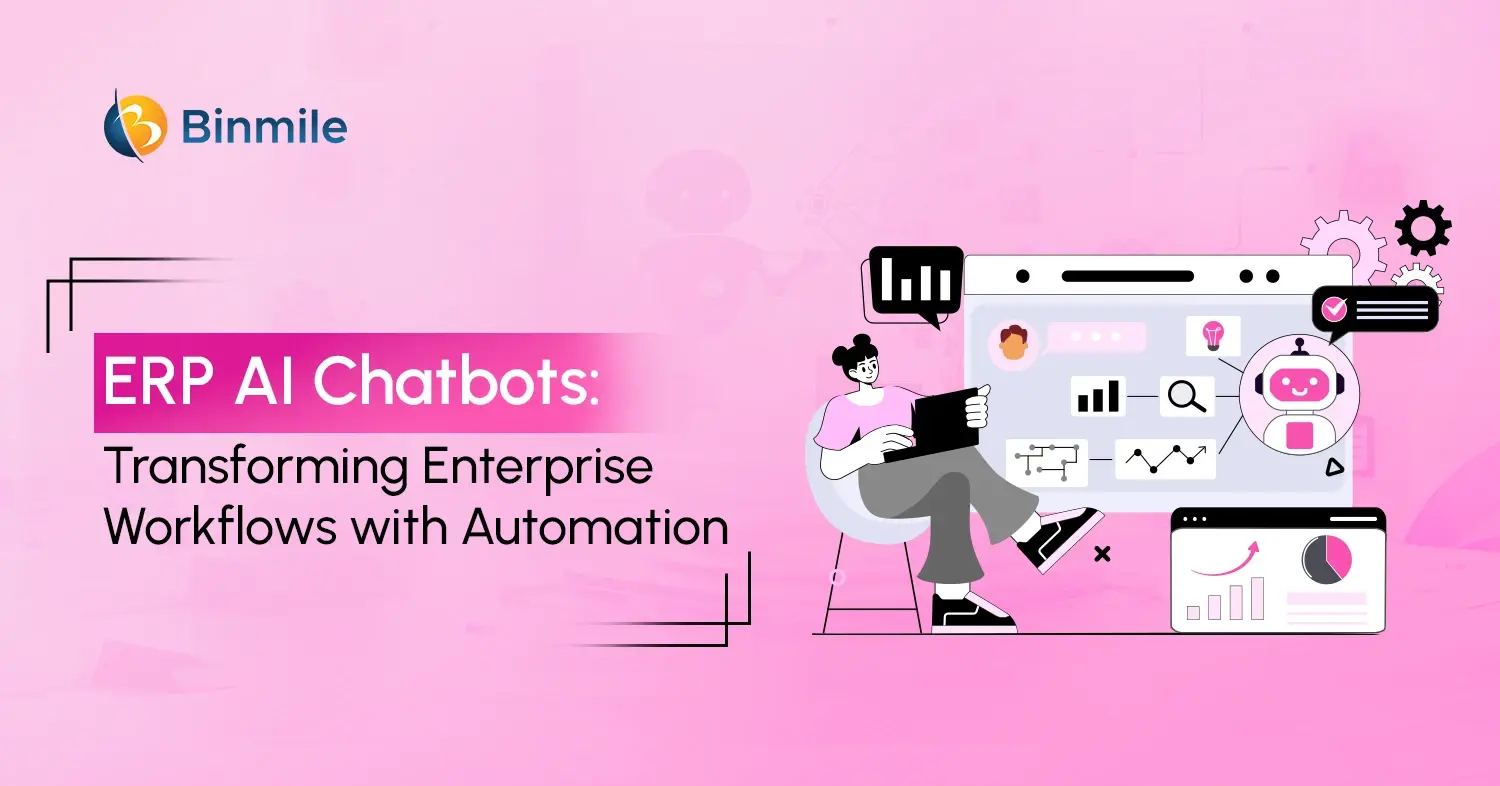
An ERP AI Chatbot is a conversational interface connected to an enterprise resource planning system. It allows authorized users to retrieve ERP information, check records, and complete routine tasks through typed or spoken requests. Unlike an eCommerce chatbot, which mainly supports shoppers and customer-facing interactions, an ERP chatbot works with internal business data and operational workflows.
For example, an employee can ask, “Has purchase order 4589 been approved?” The chatbot verifies access, retrieves the relevant record, and provides the current status. Advanced chatbots can also identify pending approvers, send reminders, or initiate the next workflow step.
Unlike general chatbots, ERP chatbots work with enterprise data across finance, HR, inventory, procurement, manufacturing, sales, and supply chain systems.
How AI Chatbots in ERP Systems Work
AI chatbots in ERP systems combine natural language processing, enterprise integrations, workflow automation, identity management, and artificial intelligence models.
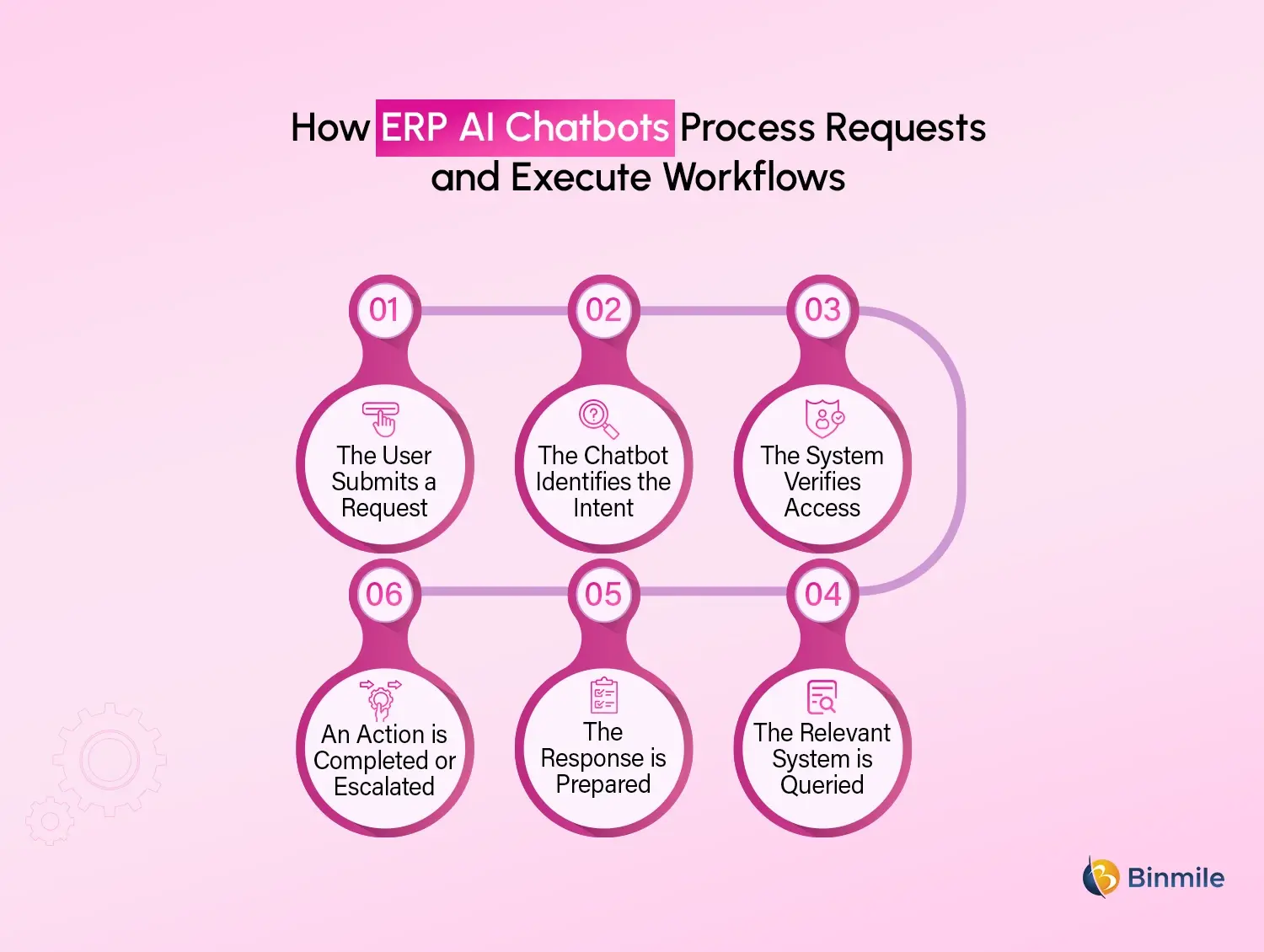
A typical interaction follows six steps:
-
The User Submits a Request
The employee asks a question or instructs the ERP interface, a mobile application, Microsoft Teams, Slack, or another approved channel.
-
The Chatbot Identifies the Intent
Natural language processing determines what the person wants. For instance, “Show unpaid invoices above ₹5 lakh” is recognized as a request for filtered accounts receivable data.
-
The System Verifies Access
The chatbot checks the user’s identity, role, department, and permissions before accessing any information.
-
The Relevant System is Queried
The chatbot uses APIs, middleware, or secure connectors to retrieve data from the ERP and other connected applications.
-
The Response is Prepared
The retrieved data is converted into a clear answer, summary, table, alert, or recommendation.
-
An Action is Completed or Escalated
Where permitted, the chatbot may create a request, update a record, send a notification, or begin an approval workflow. High-risk actions are sent to an authorized employee.
The accuracy of an AI Chatbot in ERP Systems depends on the quality of the underlying data. Poor records, conflicting information, and unclear permissions can produce unreliable results even when the AI model itself is advanced.
What Are the Different ERP AI Chatbot Types
Enterprises can select an ERP AI chatbot type based on workflow complexity and the level of automation required.
| Chatbot Type | Main Capability | Suitable Applications | Rule-based Chatbot | Follows predefined rules and menus | FAQs, navigation, and simple status checks |
|---|---|---|
| Retrieval Chatbot | Finds information from approved business sources | Policies, invoice status, and inventory availability |
| Generative AI Chatbot | Creates contextual answers and summaries | Report explanations and executive insights |
| Transactional Chatbot | Performs approved ERP actions | Leave requests, purchase requisitions, and record updates |
| Predictive Chatbot | Uses historical data to predict outcomes | Demand changes, payment risks, and stock shortages |
| Agentic ERP Assistant | Coordinates tasks across systems | Supplier onboarding, reconciliation, and exception handling |
Many ERP AI Chatbot solutions may also function as AI copilots and use a hybrid model. Generative AI understands the request, a retrieval system locates verified information, and rule-based controls decide whether an action can be performed.
How ERP AI Chatbots Improve Enterprise Workflows
ERP AI Chatbots simplify routine business processes by making enterprise data and actions accessible through natural-language conversations.
-
Finance and Accounting
An ERP AI Chatbot can retrieve invoice details, check payment status, explain budget variances, identify overdue accounts, create financial summaries, and route approval requests. Sensitive actions such as releasing payments or modifying journal entries should continue to require human authorization.
-
Procurement and Supplier Management
An AI chatbot for ERP can guide employees through purchase requests, track purchase orders, retrieve supplier details, check contract terms, and notify approvers. Supplier-facing chatbots can also answer questions about onboarding, invoice submission, and payment status.
-
Supply Chain and Inventory
ERP AI Chatbot systems can provide quick access to stock levels, warehouse availability, delayed shipments, supplier lead times, and reorder recommendations. They can also identify materials likely to fall below safety stock based on inventory, demand, and open orders.
-
Human Resources
Employees can use an ERP chatbot to check leave balances, download payslips, submit HR requests, update personal details, track onboarding tasks, and access company policies. Role-based access controls help protect confidential employee information.
-
Manufacturing and Maintenance
Manufacturing teams can connect chatbots with production schedules, machine records, work orders, and maintenance systems. Technicians can report equipment problems conversationally, while advanced systems can identify maintenance risks and check replacement-part availability.
-
Sales and Customer Service
ERP AI Chatbot Integration can give sales and service teams access to pricing, inventory, shipments, invoices, returns, and payment information in one conversation. This reduces application switching and supports faster customer responses.
Ready to simplify ERP workflows with an intelligent AI chatbot?
What Are the Key Benefits of ERP AI Chatbot Implementation
Here are the key benefits of implementing an ERP AI chatbot.
-
Faster Access to Business Information
Employees can retrieve ERP data using natural-language questions instead of navigating complex modules, report codes, filters, and technical fields.
-
Reduced Manual Work
Chatbots can automate repetitive tasks such as retrieving records, creating requests, generating summaries, checking transaction status, and sending approval reminders.
-
Improved ERP Adoption
A conversational interface makes ERP functionality easier to use, especially for employees who access the platform occasionally or lack technical ERP knowledge.
-
Shorter Workflow Cycles
ERP chatbots can identify pending approvals, collect missing information, notify stakeholders, and guide requests through the correct workflow.
-
Better Decision-Making
Executives and managers can access current operational and financial information without waiting for teams to manually prepare reports.
-
Consistent Process Execution
The chatbot can follow approved rules, collect mandatory information, and validate basic inputs before submitting transactions or requests.
-
Scalable Employee Support
ERP AI Chatbot systems can handle several user requests simultaneously, reducing pressure on finance, HR, procurement, ERP, and IT support teams, and becoming a part of a broader Enterprise AI Solution.
ERP AI Chatbot Integration with Existing Systems
An enterprise chatbot often connects with CRM, HR, procurement, document management, analytics, and customer service platforms in addition to the ERP. This allows authorized users to access information across multiple systems through one conversational interface.
ERP AI Chatbot Integration can use APIs, middleware, automation tools, or secure connectors. Legacy systems and heavily customized ERP platforms may require Software Integration Services to build secure connectors, standardize data exchange, and connect the chatbot with existing workflows.
Before integration, enterprises should define the source of truth, user permissions, approval rules, permitted actions, error handling, and audit logging. The chatbot must follow existing security and governance controls at every step.
What Is the ERP AI Chatbot Implementation Process
A structured approach to AI in ERP implementation helps enterprises reduce integration risks, improve adoption, and prove business value before expanding the chatbot across departments.
1. Select High-Value Use Cases
Begin with repetitive, high-volume, and relatively low-risk requests. Invoice checks, leave balances, purchase order tracking, inventory enquiries, and policy searches are practical starting points.
2. Map the Existing Workflow
Document the current steps, systems, approvals, delays, exceptions, and process owners. Automating a poorly designed process will not address its underlying problems.
3. Assess Data and ERP Readiness
Enterprises can also refer to an ERP software development guide to assess system architecture, customization requirements, API availability, scalability, and modernization needs before implementation.
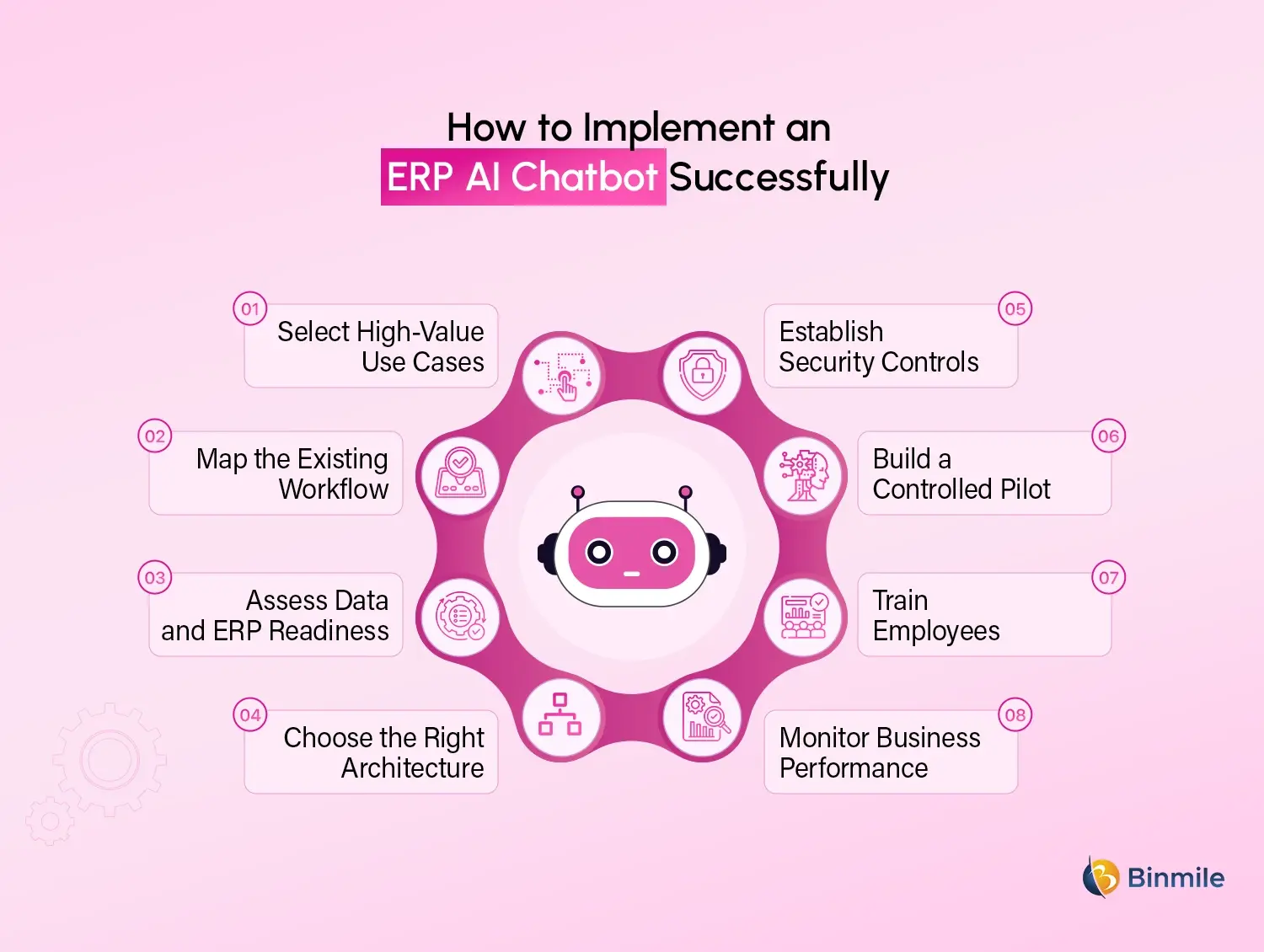
4. Choose the Right Architecture
Determine whether the solution requires rule-based automation, retrieval-augmented generation, predictive models, generative AI, or agentic capabilities.
5. Establish Security Controls
Define authentication, authorization, encryption, audit logging, data retention, approval conditions, and human escalation requirements.
6. Build a Controlled Pilot
Test the chatbot with one department or workflow before enterprise-wide ERP AI Chatbot Deployment. Include unclear questions, incomplete requests, unauthorized access attempts, incorrect records, and integration failures.
7. Train Employees
Users should understand what the chatbot can do, where its answers come from, what information it can access, and when a response should be verified or escalated.
8. Monitor Business Performance
Track answer accuracy, task completion, adoption, escalation rate, response time, workflow duration, cost per interaction, employee satisfaction, and measurable time savings.
What Is the ERP AI Chatbot Development Cost
ERP AI Chatbot Development cost depends on the project scope, ERP complexity, integrations, security needs, deployment model, and automation level. Legacy or highly customized ERP systems may require additional connectors, data mapping, and testing.
Businesses evaluating ERP chatbot budgets should also consider broader AI chatbot cost factors such as model usage, integrations, hosting, testing, maintenance, and security. ROI can be measured through faster workflows, fewer support requests, reduced errors, and improved employee productivity.
What Are the Major ERP AI Chatbot Challenges
ERP AI Chatbot challenges involve data, integrations, security, governance, and employee adoption, not only the chatbot technology.
-
Poor Data Quality
Incomplete, duplicated, outdated, or conflicting ERP records can lead to inaccurate chatbot answers. Enterprises must improve data quality and clearly define trusted data sources before deployment.
-
Complex ERP Customizations
Custom modules, fields, workflows, and older integrations can make chatbot implementation more difficult. Detailed system mapping is required to understand how data and processes operate across the ERP environment.
-
Security and Permission Risks
A chatbot may handle sensitive financial, employee, customer, and supplier information. Weak access controls can expose confidential data or allow unauthorized actions. Permissions must be checked for every request and transaction.
-
Unsupported AI Responses
Generative AI may create answers that sound convincing but are not supported by ERP records. Retrieval from approved sources, response validation, confidence thresholds, and human escalation can reduce this risk.
-
Integration Failures
Disconnected applications, unreliable APIs, inconsistent data formats, and system downtime can interrupt chatbot workflows. Error handling, monitoring, and fallback processes should be included from the beginning.
-
Unclear Workflow Ownership
Implementation can slow down when teams disagree about process rules, approval authority, or data ownership. Each chatbot workflow should have a clearly identified business owner.
Looking to automate ERP tasks and improve enterprise productivity?
How Binmile Can Help Build an ERP AI Chatbot
A reliable ERP chatbot requires more than adding a language model to enterprise software. It must understand operational workflows, connect securely with existing applications, respect user permissions, retrieve trusted information, and perform actions within defined controls.
Binmile helps enterprises plan and develop ERP AI Chatbot solutions aligned with their systems and business processes. The engagement can cover use-case discovery, conversational design, AI model implementation, ERP integration, workflow automation, security testing, ERP AI Chatbot Deployment, and continuous optimization.
Experience across AI chatbot development, AI Copilots, AI Transformation, ERP modernization, Enterprise AI Solution development, and Software Integration Services enables the team to support both focused pilots and larger enterprise programs. This allows organizations to move from isolated chatbot experiments to scalable solutions that improve access, automation, and decision-making across departments.
Frequently Asked Questions
ERP AI Chatbots are conversational assistants connected to enterprise resource planning systems. They understand natural-language requests, verify user permissions, retrieve approved ERP information, and provide answers or perform authorized workflow actions.
They can support finance, procurement, inventory, supply chain, HR, manufacturing, sales, and customer service. Common tasks include retrieving records, tracking orders, submitting requests, generating summaries, and routing approvals.
Key benefits include faster information access, lower manual effort, improved ERP adoption, shorter approval cycles, scalable employee support, consistent workflow execution, and better visibility into operational records and pending actions.
Enterprises should assess use-case value, data quality, integration readiness, user permissions, security requirements, AI accuracy, workflow ownership, compliance obligations, implementation cost, employee training, and expected business outcomes.
Yes. They can integrate with ERP, CRM, HR, analytics, procurement, document management, and communication platforms through APIs, middleware, event streams, databases, robotic automation, or custom secure connectors.
An experienced AI Development Company can support strategy, architecture, integration, security, model selection, testing, deployment, and governance, reducing technical risk and helping the chatbot deliver reliable and measurable workflow improvements.