When it comes to finding the best tool among the widely used BI tools, i.e., Power BI vs. Tableau vs. Looker, Power BI stands out the most with rich visualizations. It offers a suite of advanced analytics that helps translate data into actionable decisions. These advanced data analytics in Power BI help businesses to make informed decisions for their benefit. However, setting up, maintaining, and optimizing Power BI with these advanced analytics is a real struggle if you are not an expert.
Many businesses juggle fragmented reports and data quality, resulting in delayed insights and inefficiencies in data management & operations. This is why getting Power BI managed services from external data engineering experts is in your best interest.
The Power BI managed services help businesses get a deeper insight, resulting in improved data-driven decisions. Managed analytics services benefit businesses as they reduce data operational risks and enhance the scalability and efficiency of data science services. So, what are these managed analytics services, and how to leverage them for advanced analytics? This blog will provide a clearer understanding of these managed services, their top analytic features, and how to perform advanced analytics for your business.
Why Choose Power BI Managed Services?
Power BI, or Microsoft Power BI, is an impactful tool for data analysis and visualization, providing a suite of software services, apps, and connectors. It is a strategic platform that empowers various industries such as healthcare, finance, logistics, marketing, operations, etc. It offers immersive data analytics using core components such as Power Query, Power Pivot, Power BI desktop, Power BI service, etc. Instead of spending hours on implementing Power BI, organizations should work with Power BI service providers that have deeper expertise.
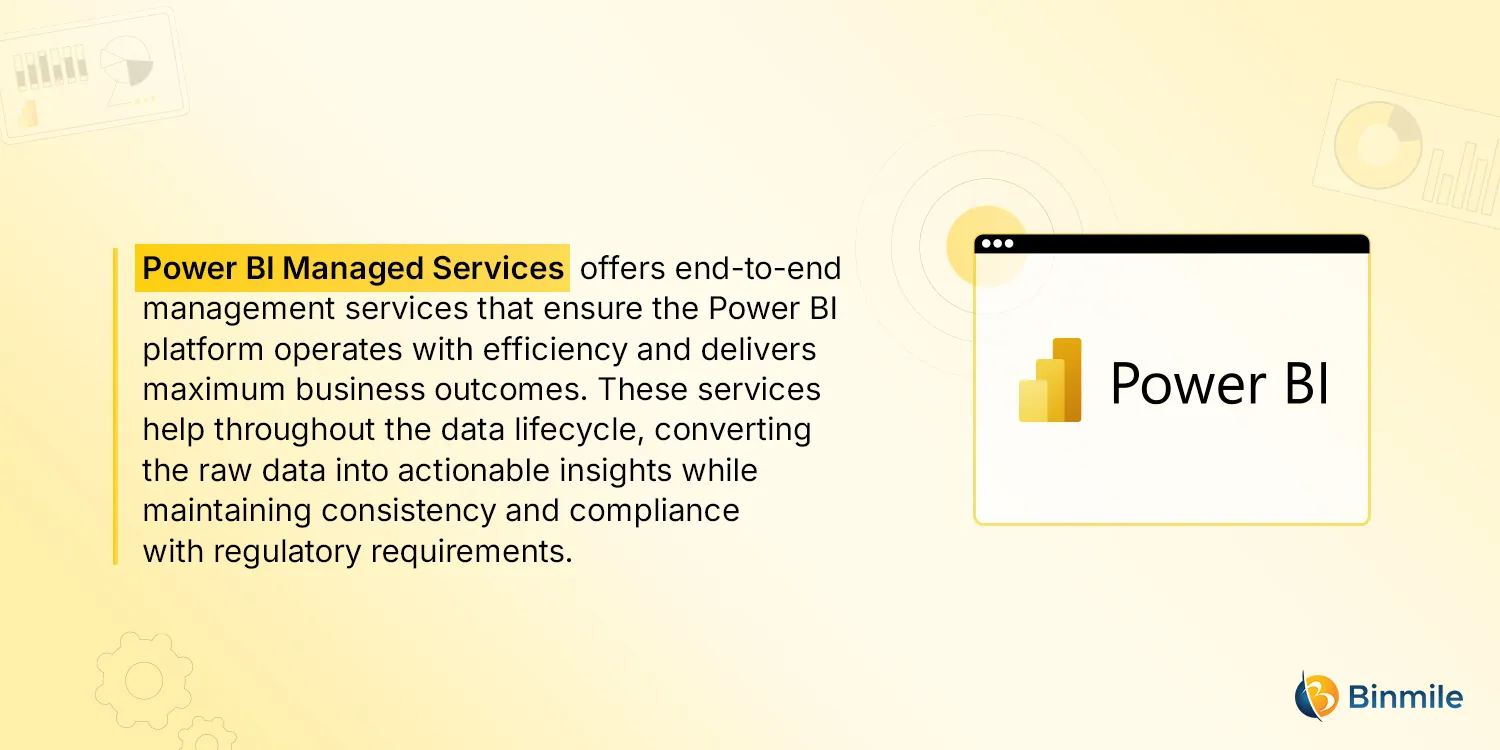
With Power BI managed services, businesses can outsource their data needs and have access to a wide range of end-to-end data analytics services. From creating a structured data model and developing advanced analytics features to optimizing performance and complying with data governance protocols, these services support an organization’s data lifecycle throughout. These managed analytics services help organizations leverage powerful analytics capabilities for driving scalability and providing informed business insights.
Also Read: How to Connect Power BI to SQL Server
How can Advanced Analytics in Power BI Help Businesses?
Advanced analytics provides data insights that go beyond traditional business intelligence. It leverages machine learning (ML) and innovative visualization techniques. Microsoft Power BI is one of the most powerful platforms that incorporates advanced analytics features. It provides modern business capabilities such as data analysis, visualization, and reporting. These capabilities help organizations to improve their data processing methods and strategies. This helps them to track their performance across cross-functional teams and enables better, informed decisions.
With advanced analytics in Power BI, businesses can optimize their operations, as it enables them to:
- Power BI managed services help organizations identify and predict future outcomes. This enables them to make more proactive decisions. It also helps eliminate potential risks before they occur.
- They provide deeper data insights and help you understand the correlation between various data variables and their functions.
- Using these managed analytics, organizations can better understand their customers’ behavior and specific needs. This insight helps them develop products that directly resonate with their target audience.
For data-driven growth, introducing outsourced Power BI managed services helps businesses enhance analytical accuracy. They can achieve this without creating or managing their own analytics infrastructure.
Key Advanced Analytics Features in Power BI
1: Predictive Analytics with Azure
Predictive analytics helps teams make dedicated decisions by providing the ability to identify patterns and risks using real-time and historical data. Power BI brings this powerful predictive capability that can help teams create predictive models with the help of machine learning and Azure Machine Learning Studio.
Azure provides new data science capabilities and offers support to various skill-level developers, such as no-code authoring beginners and code-first experienced developers. It enables teams to build, train, optimize, and deploy predictive machine learning models. Teams can then integrate these models into Power BI reporting systems or dashboards. Machine learning algorithms provide the capability for teams to quickly create predictive models by dragging, dropping, and connecting some data modules. This capability helps them visualize these models to know future outcomes.
2: R Integration
R is a programming language used for statistical computing and data visualization. Developers can use it to represent data through interactive graphical visualizations. Power BI’s powerful suite of applications integrates well with R, enabling teams to create custom visualizations and implement advanced computational strategies. Within Power BI, this language can perform statistical analysis and can incorporate the results into Power BI’s dashboards or reports. This overall process is known as R integration.
Using R with the Power Query feature, Power BI can perform advanced data cleansing tasks on raw data, like detecting anomalies or handling missing values. This completed raw data is now a useful asset and can be converted into automated ETL (Extract, Transform, and Load) workflows. This R integration capability helps in the removal of data silos and the implementation of scalable Power BI data cleansing methods.
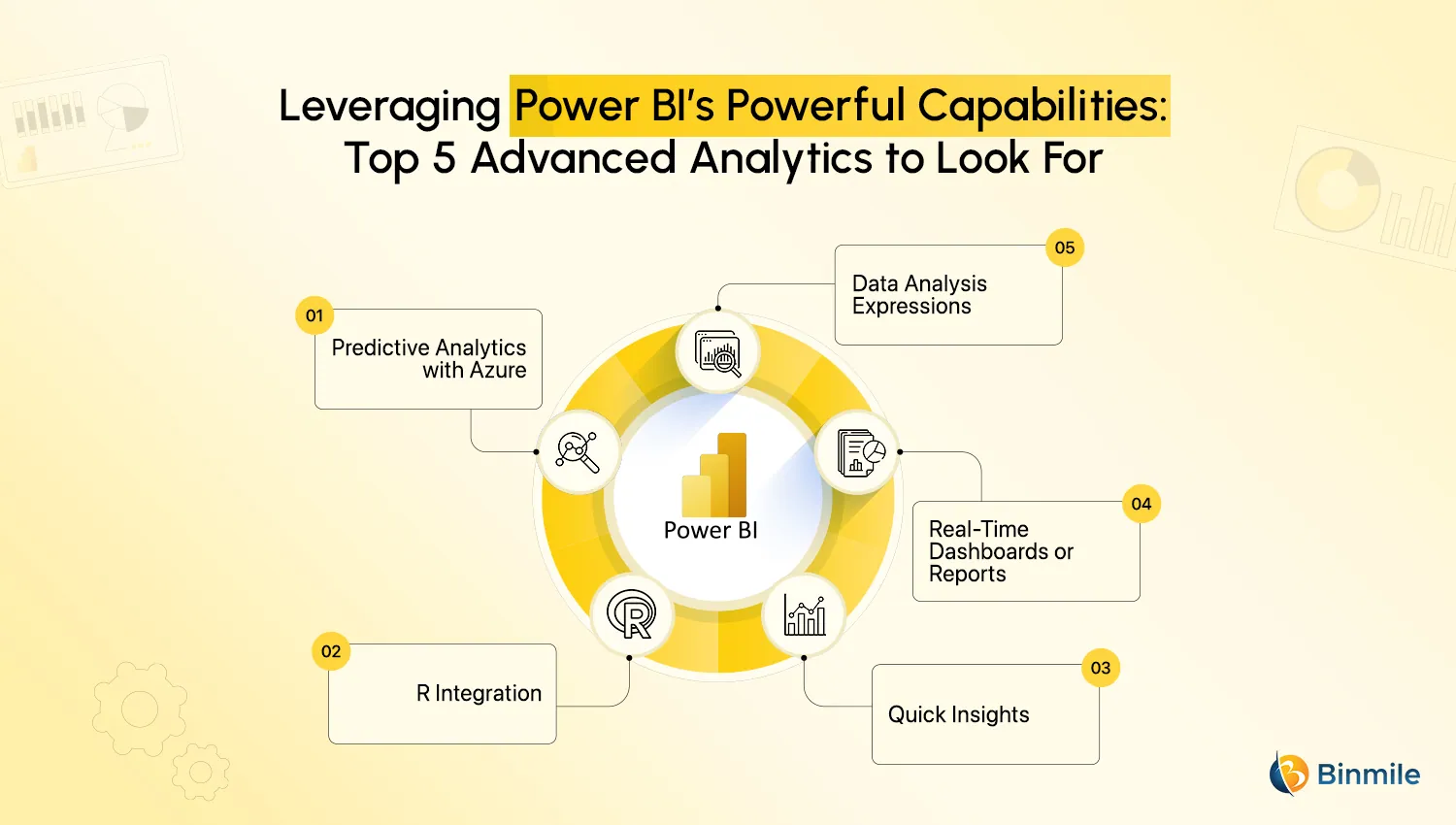
3: Quick Insights
The Quick Insights feature uses a collection of powerful and advanced analytical algorithms. Microsoft developed these algorithms in collaboration with its Research team. This feature can generate insights across an entire semantic model. It uses intuitive automation methods to identify trends and analyze anomalies.
With the help of the Quick Insights feature, Power BI can search and scan subsets of selected datasets within a specific timeframe. Using complex algorithms, it automatically identifies missing anomalies and suspicious patterns. This helps teams focus on and investigate the relevant dataset more effectively. Power BI also makes discovery tasks more efficient. These tasks include uncovering hidden trends and identifying relationships between two datasets.
4: Real-Time Dashboards or Reports
Handling, displaying, and analyzing real-time data can be a daunting task for businesses, as the datasets are complex and constantly changing with the evolving requirements of business goals. With the creation of real-time dashboards, teams can monitor their datasets as soon as they go live or are updated. Interactive dashboards can help transform the data into immersive visuals, which help teams gain regular and instant analysis of sensitive or financial information.
With the minimum cost setup, Power BI creates a sample dashboard, enabling teams to add features like IoT sensor readouts or edit any filter and essential categories. This feature allows you to have knowledge of extensive datasets and improve the usability of these data assets by accessing real-time reports.
5: Data Analysis Expressions
Data Analysis Expressions (commonly referred to as DAX) is a powerful language that encapsulates capabilities to create advanced and complex calculations on one or more values. These calculations are done on data metrics with the help of a formula or expression, enabling teams to perform custom calculations and take a deep dive into insights from the calculations done on the data.
DAX formulas are effective for solving real-time business problems with easy integration in Power BI. Teams need to manipulate data based on their specific data analysis and visualization needs. They can define custom logic on variables, functions, operators, and constants. This increases accuracy in future data projections and helps you leverage dynamic data.
For deploying and managing the Power BI setup, utilize impactful Power BI’s advanced analytics, connect today to unlock data-informed decisions.
How to Perform Advanced Analytics in Power BI?
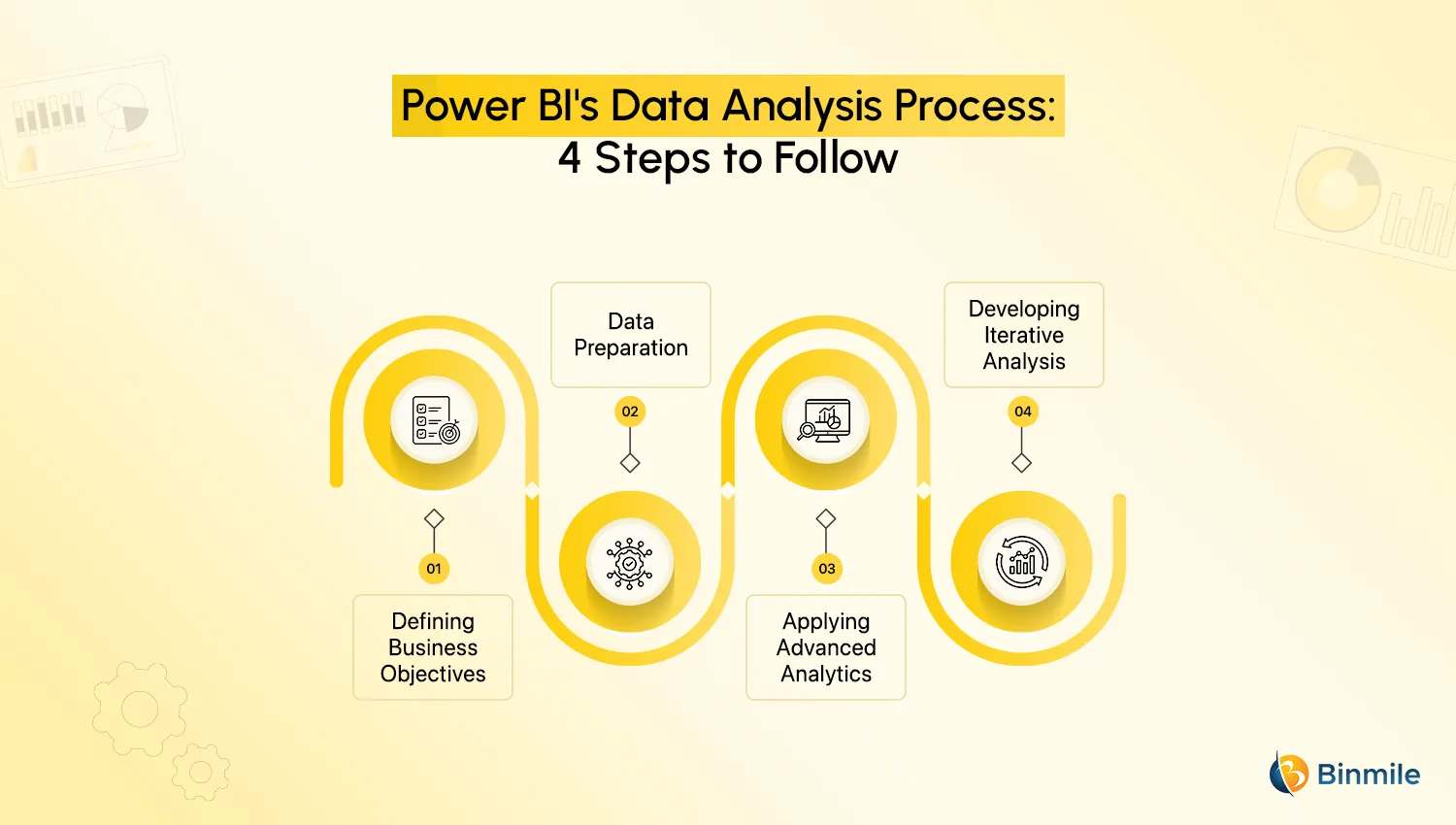
Leveraging and performing advanced analytics in Power BI involves some steps discussed below.
-
Defining Business Objectives
For clear implementation of the entire analysis process, businesses should structure their end goal and specific requirements. Also, building motivated and knowledgeable teams plays a crucial role here. This is because they should have a deeper understanding of data analysis and visualization to find insights from complex datasets.
-
Data Preparation
After defining some requirements, teams can now perform data analysis strategies on the raw data by cleaning and shaping it into valuable data assets. Here, teams can utilize the built-in automated Power Query for high-quality managed analytics services. This phase ensures that cleaning and transformation processes are automatically done.
-
Applying Advanced Analytics
This phase involves strategically applying advanced analytics, which we have discussed earlier. In order to apply the best advanced analytic features in Power BI, teams must first define their objectives. They need to determine whether they want to identify new trends, make predictions, or uncover potential anomalies in data patterns. Using these advanced insights, teams can create interactive dashboards and report visualizations. These visualizations effectively present the results of a particular analysis.
-
Developing Iterative Analysis
With the help of deeper insights, teams can now change their managed analysis strategies by continuously reiterating and updating them. These transformative data insights enable teams to leverage and collaborate with Power BI’s features. This allows them to seamlessly integrate some collaborative and innovative features, resulting in improved data accuracy and decision-making strategies.
Want to optimize raw datasets with data-driven analytic strategies, enabling businesses to have smarter data analysis systems?
Conclusion
Leveraging Power BI managed services with advanced analytics empowers organizations to make their data processes more efficient and productive. These services provide data-driven insights that support better decision-making. They also foster a more streamlined data analysis process and improve accuracy. Advanced analytics features include predictive modeling, R integration, quick insights, real-time dashboards, and DAX (Data Analysis Expressions). However, successfully incorporating these managed services depends on aligning the chosen analytics features with specific business needs. Businesses need to clearly understand and research what data analytics processes can ensure their long-term success and data consistency.
In this blog, we explored the top five advanced analytics features in Power BI. We also discussed how to implement them using four easy steps. Partnering with a software development company that provides data analytics services can help you choose the right analytics feature for your organization. This enables you to drive greater efficiency and maximize the value of your data.
Frequently Asked Questions
Power BI Managed Services provide end-to-end support for Power BI environments, including dashboard development, data integration, performance optimization, governance, and ongoing maintenance.
Businesses should look for features such as real-time dashboards, AI-powered analytics, automated reporting, predictive insights, data modeling, and self-service BI capabilities.
Power BI Managed Services help organizations access accurate, real-time insights through interactive dashboards and reports, enabling faster and more informed decision-making.
Organizations can reduce operational complexity, improve data accuracy, enhance reporting efficiency, and maximize the return on their business intelligence investments through managed services.
A managed services provider can streamline data management, optimize Power BI performance, implement governance frameworks, and support growing analytics requirements as the business expands.