Modern workplaces require a seamless experience for employees, from booking a desk to finding a meeting room or requesting IT support. However, many organizations are struggling with a patchwork of disconnected, standalone systems like Mappedin for mapping, separate tools for booking, and yet another system for service requests. This siloed approach creates friction for employees and prevents facilities teams from gaining the unified insights needed for operational efficiency. This is why organizations today are investing heavily in modern workplace solutions to support hybrid and flexible work models.
Organizations today are investing heavily in modern workplace solutions to support hybrid and flexible work models. According to Grand View Research, the global digital workplace market was valued at about USD 48.8 billion in 2024 and is expected to reach USD 166.27 billion by 2030, growing at a compound annual growth rate (CAGR) of 22.8 percent as enterprises prioritize seamless experiences, automation, and digital workflows for employees and facilities teams.
In this blog, we will take a comprehensive look at ServiceNow Workplace Service Delivery and why many enterprises are choosing to migrate from Mappedin to ServiceNow WSD, how indoor mapping migration fits into this, the benefits, challenges, a practical migration strategy, and best practices.
What is ServiceNow Workplace Service Delivery?
ServiceNow Workplace Service Delivery is a comprehensive workplace management suite built on the ServiceNow platform that enables organizations to transform how workplace services are delivered and consumed digitally.
It redefines the internal workplace experience by providing self-service reservations for workspaces, desks, and meeting rooms, indoor wayfinding and location directory support, streamlined service requests (maintenance, IT support, facilities), unified views of space utilization and workplace analytics, and integration with sensor data for occupancy and smart building insights. These capabilities are further strengthened when combined with ServiceNow agentic AI, which automates workflows, predicts service needs, and improves response times.
With capabilities like space planning, case management, and visitor handling, ServiceNow WSD is not just a mapping tool but a workplace experience suite that brings together indoor mapping, service delivery, and real-time insights on a single platform.
What are the Benefits of Migrating from Mappedin to ServiceNow Workplace Service Delivery
Migrating from Mappedin to ServiceNow WSD can unlock several strategic and operational advantages for enterprises.
1. Unified Platform for Workplace Services
Instead of having separate systems for maps, service requests, and visitor management, ServiceNow WSD integrates these into one system. This enhances consistency, consolidates tools, and streamlines usability.
2. Enhanced Employee Experience
Employees can use one simple portal or mobile app for finding locations, booking desks or rooms, making service requests, and navigating the office, all without having to change apps.
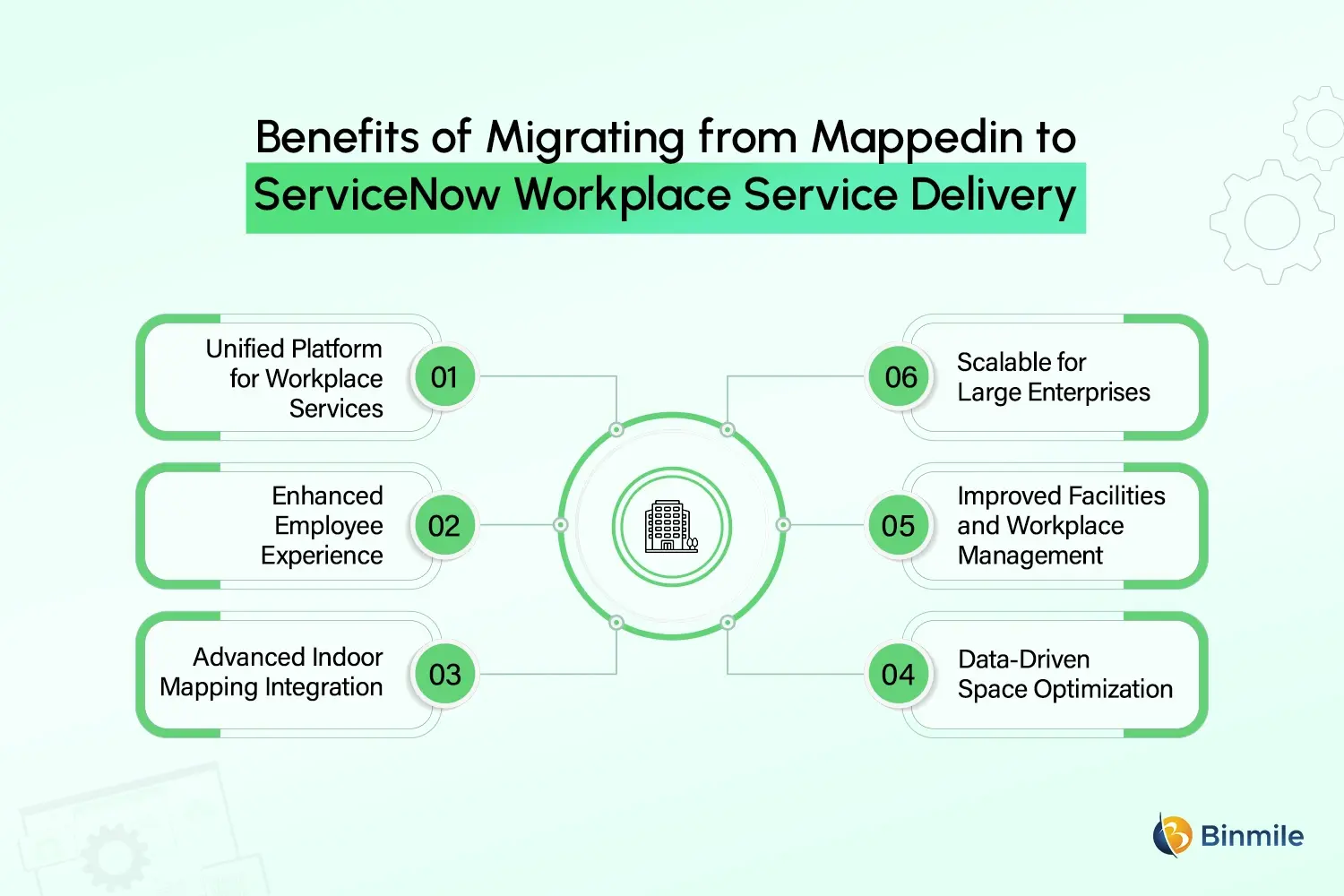
3. Advanced Indoor Mapping Integration
With ServiceNow WSD, organizations can integrate ServiceNow’s indoor mapping to add detailed floor plans and navigation to their core workflow. This provides navigational context for bookings and service requests.
4. Data-Driven Space Optimization
With analytics embedded in the suite, workplace analysts can understand patterns in space usage, areas of congestion, and occupancy that inform real estate and scheduling decisions.
5. Improved Facilities and Workplace Management
Teams can use one unified workflow to manage plans for maintenance, corrective, and preventive actions, which minimizes service delays and enhances turnaround times.
6. Scalable for Large Enterprises
Whether supporting a single office or a global campus footprint, ServiceNow WSD scales with your needs and integrates with other ServiceNow modules, such as ITSM, ITOM, and HRSD, enhancing cross-departmental collaboration.
What are the Challenges in Migrating to ServiceNow WSD
Mappedin to ServiceNow Migration is not always straightforward. Common challenges include:
1. Data Complexity
In Mappedin, indoor map data, occupancy metrics, location data, and space hierarchies are often stored in different formats. Extracting and transforming this data to plug into ServiceNow’s data structure can be challenging.
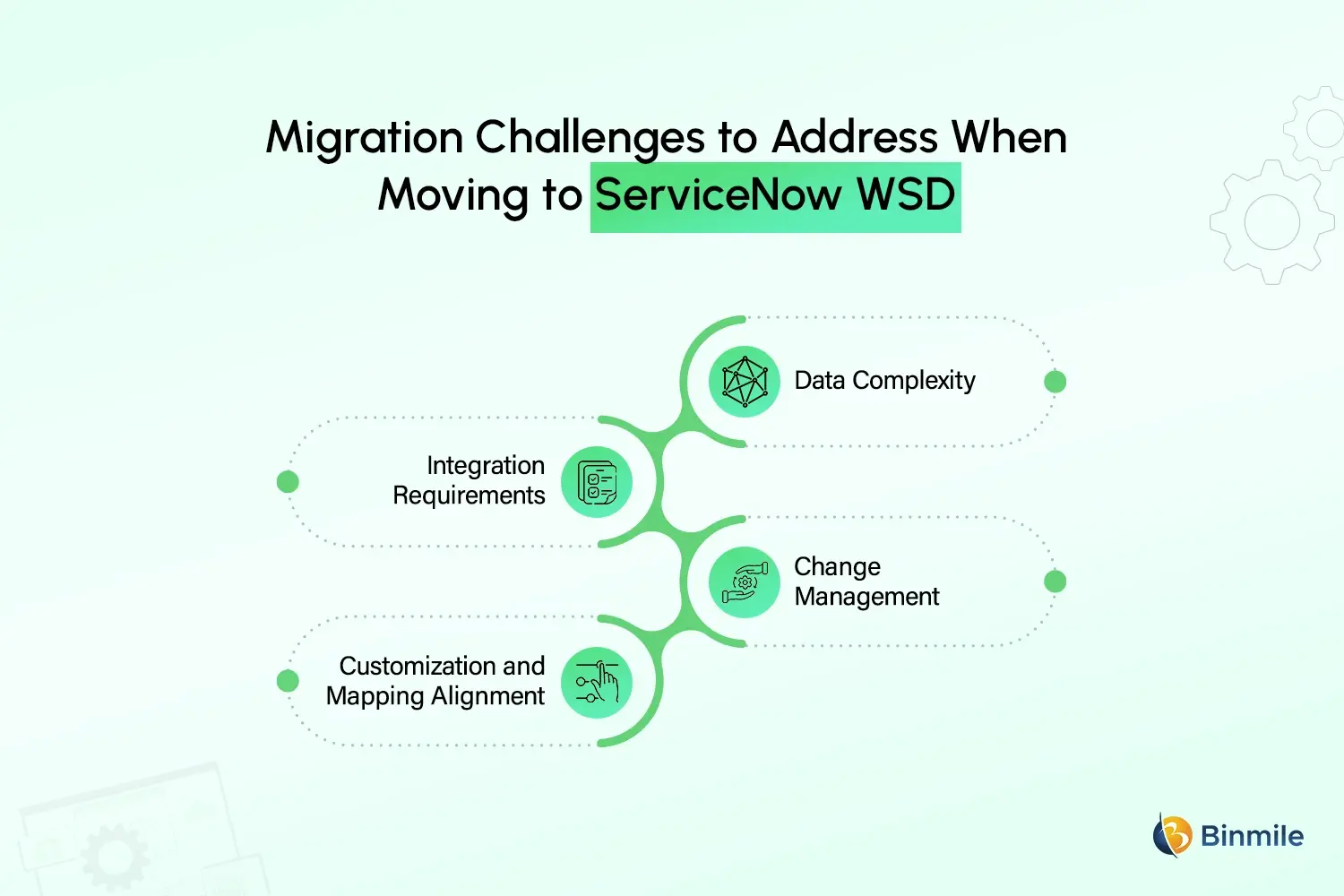
2. Integration Requirements
In order to fully utilize ServiceNow WSD, other existing systems must be integrated, including identity providers, smart sensors, and facilities management systems. Enabling these integrations to function correctly will demand some technical architecture.
3. Change Management
Migrating to new systems can disrupt employees’ and facilities managers’ daily activities, leading to adverse reactions. Adoption will require considerable upfront communication and training.
4. Customization and Mapping Alignment
Post-migration loss of functionality is often a risk when aligning indoor mapping attributes with the location and space entities in ServiceNow, so this requires some planning.
What is the Right Approach and Strategy for Migration
A ServiceNow Workplace Service Delivery migration follows a structured approach that minimizes disruption and maximizes value.
1. Assessment and Planning
Start by reviewing existing indoor maps, spatial data, reservation logic, user roles, and services linked to locations in MappedIn. This assessment helps define clear migration goals, identify dependencies, and decide what data should be retained, archived, or retired.
2. Data Extraction and Transformation
Extract indoor mapping data from Mappedin using APIs or exports, then transform it to align with ServiceNow’s building, floor, room, and space hierarchy. Proper transformation ensures accurate wayfinding, reservations, and service associations post-migration.
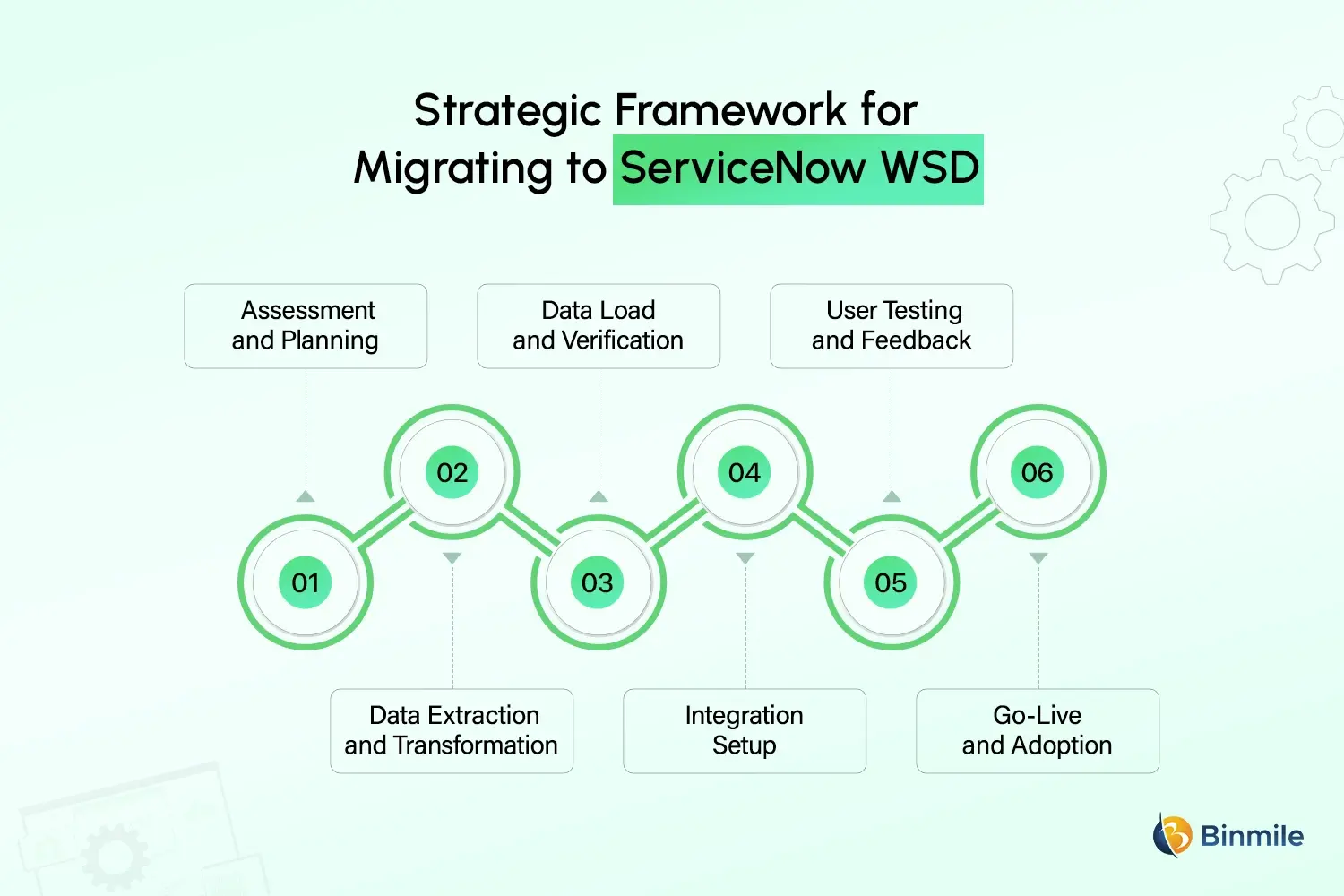
3. Data Load and Verification
Load the transformed data into the ServiceNow Workplace Service Delivery Suite using import tools or scripts. Verify spatial accuracy, room attributes, and service mappings to ensure correct navigation, reliable reservations, and proper routing of workplace service requests.
4. Integration Setup
Configure integrations with enterprise systems such as identity management, calendars, occupancy sensors, and smart building platforms. Thorough validation ensures seamless data flow, accurate access control, and consistent performance across the digital workplace ecosystem.
5. User Testing and Feedback
Conduct pilot testing with selected user groups to validate navigation, booking, and service request workflows. Early feedback helps identify usability gaps and configuration issues, enabling refinements before full-scale deployment and improving overall user adoption.
6. Go-Live and Adoption
Execute a phased go-live across departments or locations to minimize disruption. Support adoption through targeted training, documentation, and ongoing assistance, ensuring employees quickly adapt to ServiceNow Workplace Service Delivery with confidence.
Planning to modernize indoor mapping, workplace services, and employee experience on ServiceNow?

Options of Migration to ServiceNow Workplace Service Delivery
Here are the options for migrating from Mappedin to ServiceNow Workplace Service Delivery.
| Migration Option | Approach Overview | Key Benefits | Drawbacks / Considerations |
|---|---|---|---|
| Implement Indoor Mapping Using CAD Files | Indoor maps are recreated in ServiceNow Workplace Service Delivery using original CAD drawings, aligning spaces, rooms, and zones directly with ServiceNow’s location hierarchy. | Delivers high accuracy and long-term scalability, supports precise space modelling, and aligns well with advanced WSD features and future workplace expansion. | Requires the availability of updated CAD files, higher initial effort, and longer implementation time compared to image-based migration approaches. |
| Leverage Automated Scripts to Migrate Maps from Mappedin in PNG Format | Existing Mappedin indoor maps are exported as PNG images and migrated into ServiceNow WSD using automated scripts for faster onboarding. | Faster migration, lower initial effort, preserves existing map visuals, and enables quicker go-live for organizations seeking immediate continuity. | Limited spatial intelligence, reduced flexibility for future modifications, and dependency on image-based mapping rather than structured spatial data. |
| Hybrid Approach | Starts with PNG-based migration for quick deployment, followed by gradual replacement with CAD-based indoor maps within ServiceNow WSD. | Balances speed and long-term accuracy, enabling early value realization while planning structured CAD implementation over time. | Requires careful planning, temporary dual mapping methods, and slightly higher overall management effort during the transition phase. |
What are the Best Practices for a Smooth Migration
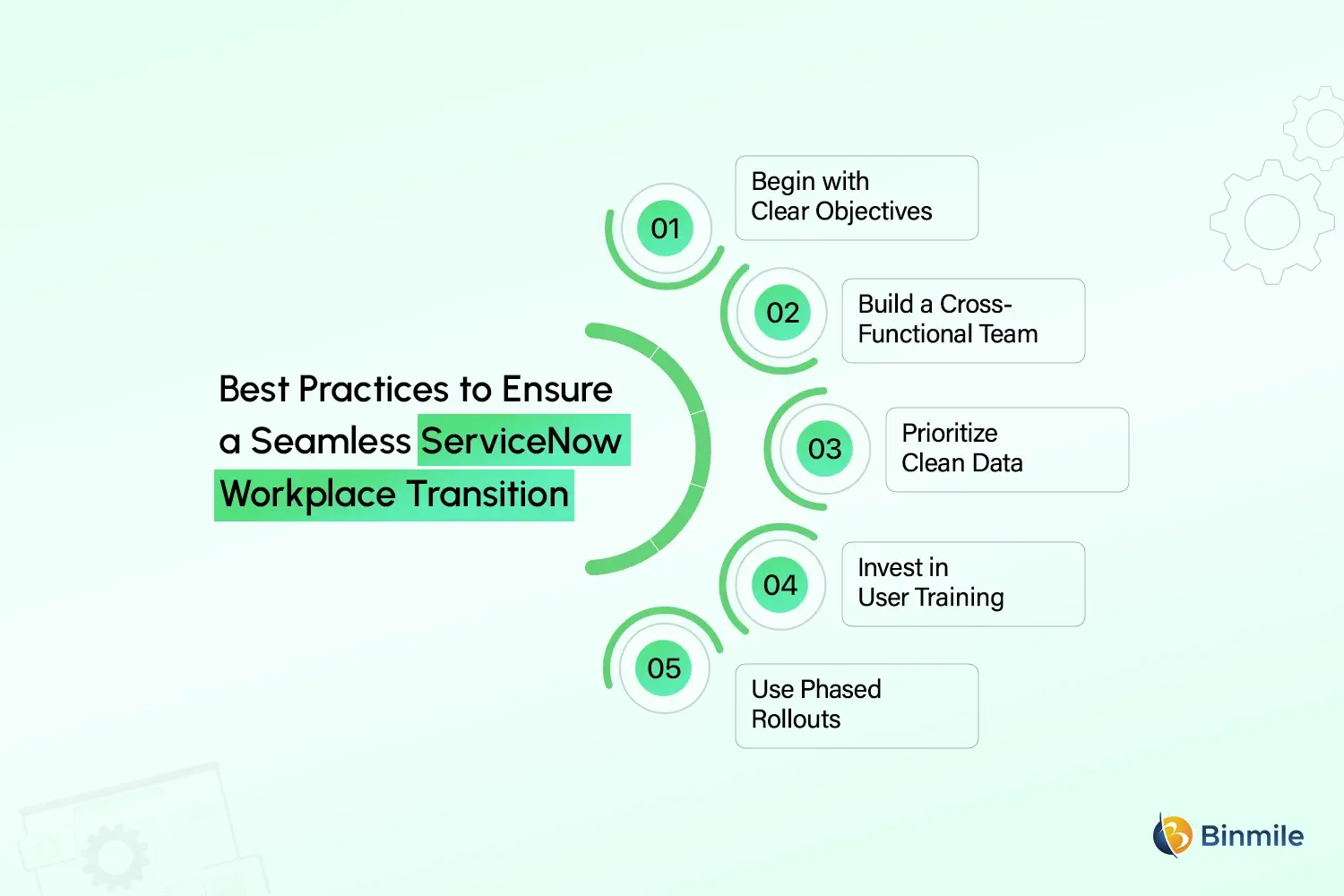
The success of any migration project depends on thoughtful execution. Here are the key best practices:
-
Begin with Clear Objectives
Before beginning the migration, set and communicate success benchmarks that can be measured. ServiceNow WSD should be focused on improving usability, efficiency, and service delivery to be impactful, so ensure workplace experience objectives and WSD service improvement benchmarks are aligned.
-
Build a Cross-Functional Team
Workplace planners, facilities, IT, and architects should be brought in early in the process. This kind of cooperation will allow for the integration of business, spatial, and technical/engineering needs throughout the migration process to create a cohesive solution.
-
Prioritize Clean Data
In the migration process, standardize room names and locations, and ensure that all metadata is organized and cleaned. Accurate location and space data improve reporting and reliability across ServiceNow workplace services. This will help mitigate errors, enhance the precision of reporting, and enhance the overall functionality of ServiceNow Workplace Service Delivery..
-
Invest in User Training
Develop role-based training, quick reference guides, and other supportive materials to train the user for the new navigation, reservation, and service features. This will help users to be less disrupted and will make the overall adoption of the new platform faster.
-
Use Phased Rollouts
Instead of a big bang approach, implement ServiceNow WSD in phases. This will help manage impact, gather ongoing feedback, make iterative improvements, and ultimately deliver a better overall experience in the workplace transformation.
Looking to simplify your ServiceNow Workplace Service Delivery migration without disrupting daily operations?

How Binmile Can Help in Migrating From Mappedin to ServiceNow WSD
Migrating from Mappedin to ServiceNow Workplace Service Delivery requires deep expertise not only in indoor mapping migration but also in configuring the full WSD suite to deliver seamless workplace experiences. Binmile’s team has extensive experience with ServiceNow implementation, consulting, and integrations across enterprise platforms, which enables us to deliver tailored solutions that align with your business needs.
From data extraction and transformation to integration with smart building technologies and legacy systems, the approach is always structured around your operational goals. We focus on minimizing disruption while maximizing adoption by providing clear migration roadmaps, robust testing frameworks, and post-migration support to ensure your workplace services perform optimally on the ServiceNow platform.
By combining great technical skills with a strong understanding of workplace service delivery and facilities management use cases, Binmile helps organizations achieve measurable value from their ServiceNow WSD implementations and, ultimately, digital transformation in how work gets done.
Frequently Asked Questions
It is a comprehensive suite on the ServiceNow platform that supports workplace reservations, indoor wayfinding, service requests, space optimization, and facilities workflows on a unified system.
Migration consolidates mapping, reservations, and service workflows into one platform, improving user experience and operational efficiency.
Yes. Map data can be extracted, transformed, and integrated into ServiceNow’s location and space structures.
Timeline varies by scale, but typical migrations range from several weeks to a few months based on data complexity and integrations.
Yes. It is designed to scale for global operations and large workplace footprints.
Reservations, space management, case management, visitor services, sensors, and smart building systems all integrate well.
Floor plans, room metadata, occupancy zones, reservation rules, and any service-related data tied to specific spaces.