Businesses are no longer relying on intuition or static reports alone. Instead, they are actively investing in data-driven systems that help leaders understand trends, monitor performance in real time, reduce inefficiencies, and make faster, more informed decisions across departments. More than 78 percent of global enterprises are now using one or more business intelligence or analytics platforms to drive decision-making and operational excellence, highlighting a clear shift in how organizations approach growth and performance.
This shows just how critical a business intelligence strategy has become to staying competitive. In this blog, we will explore what a business intelligence strategy truly means, how Power BI strengthens it, and which Power BI features yield the best outcomes. Additionally, when businesses should upgrade their BI strategy, and how expert support can make a measurable difference.
What is a Business Intelligence Strategy?
A business intelligence strategy is the plan that outlines how an organization collects, analyzes, interprets, and uses data to guide decision-making, align business goals, and drive measurable growth. A well-defined BI strategy ensures that data insights are not just generated but also adopted across teams, contributing to improved performance, faster decision cycles, and better forecasting.
At its core, a BI strategy involves understanding your data sources, setting clear goals, identifying key performance indicators, and choosing tools and processes that make analytics accessible for stakeholders across the organization. More than just software or dashboards, a strategy connects data to business outcomes in meaningful ways.
How Does Power BI Strengthen Your Business Intelligence Strategy?
Power BI is a business intelligence solution that brings data to life through intuitive dashboards, real-time reporting, and powerful analytics across departments. By integrating data from ERP, CRM, cloud platforms, and spreadsheets, Power BI breaks data silos and creates a single source of truth for decision-makers.
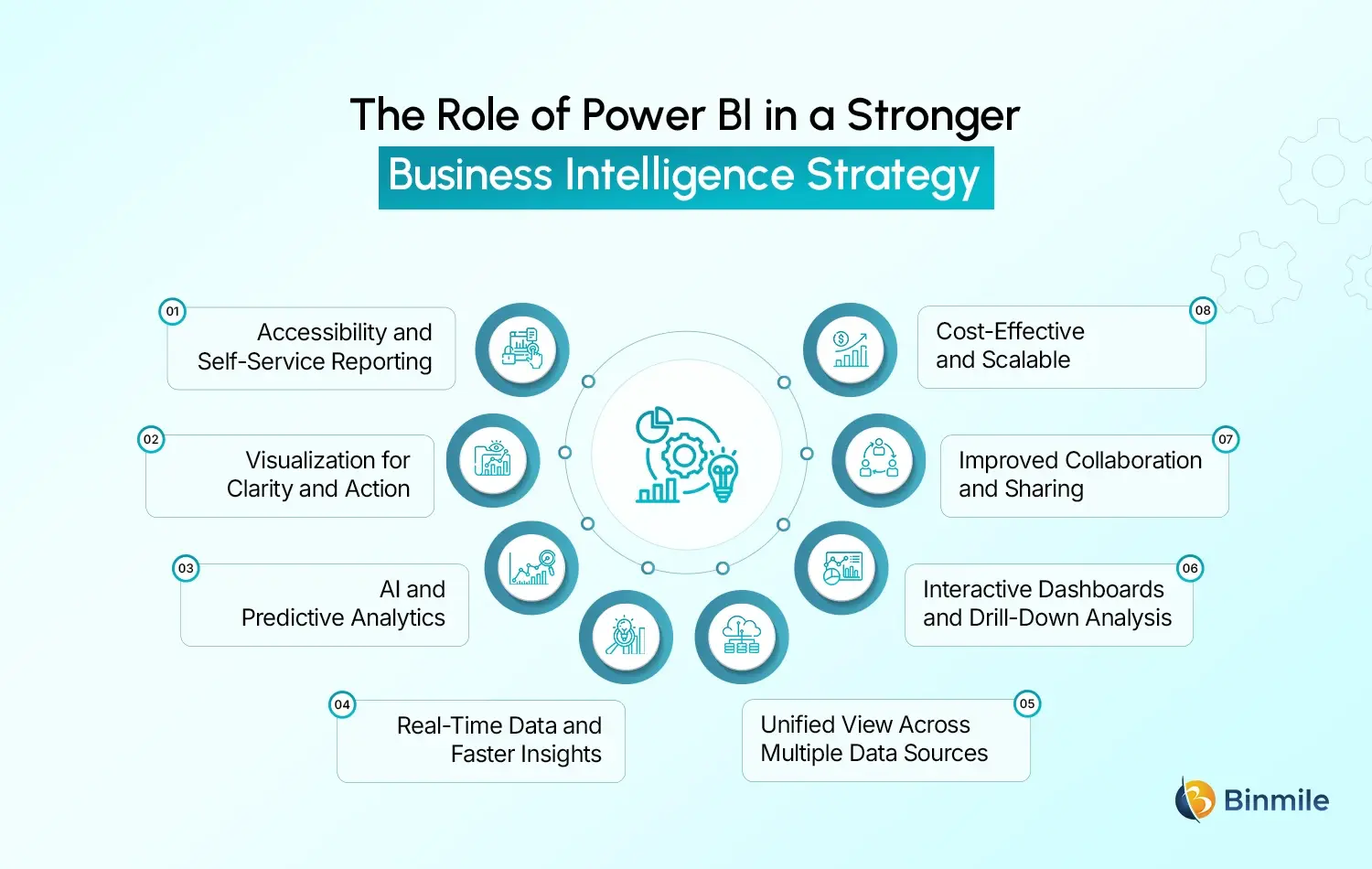
There are several reasons Power BI is becoming a cornerstone of business intelligence strategies:
-
Accessibility and Self-Service Reporting
The Business Intelligence modules allow users from different departments to generate their own reports and dashboards without needing significant assistance from IT, thanks to the Power BI interface. This speeds up the data democratization process and shortens the time needed to make organizational decisions since users can engage with data and derive insights relevant to their activities.
This business intelligence reporting capability unleashes bottlenecks and enables the organization to expand the scale of its BI activities and increase its usage across different organizational units.
-
Visualization for Clarity and Action
Visualization extends beyond the crafting of appealing charts. It also embodies the quick understanding of intricate trends. This can render key metrics of the BI strategy using Power BI visualization tools. Businesses can monitor sales performance or consider various financial risks. This enables the responsible individuals to interpret the numbers and decide on the best course of action with ease.
-
AI and Predictive Analytics
Power BI has advanced analytics along with Artificial Intelligence capabilities, which is the reason why the platform is ranked first among other BI offerings. This tool brings predictive analytics to the table, as it can find patterns, predict future trends, and make recommendations. This can take a sample data analysis from simply descriptive to predictive.
As such, this states that the business intelligence with Power BI is no longer about knowing what happened. However, predicting what is likely to happen and optimizing strategies.
-
Real-Time Data and Faster Insights
Power BI enhances real-time and near-real-time data capabilities, whereby a business can monitor its performance in real time. This ensures that decisions are based on current information rather than outdated reports, improving responsiveness across teams.
-
Unified View Across Multiple Data Sources
Using Power BI applications, organizations are able to integrate data from redundant systems into a unified view. This breaks data silos, whereby stakeholders can make decisions and act with accurate and reliable information.
-
Interactive Dashboards and Drill-Down Analysis
With Power BI managed services, organizations are able to create dashboards that can be used to interact with data. This ensures that further analysis can be carried out without the need for switching applications to find the root cause and performance factors.
-
Improved Collaboration and Sharing
Different teams can share reports and dashboards in Power BI. This enhances collaboration while ensuring that everyone is using the same metrics and insights.
-
Cost-Effective and Scalable
Of the many conventional analytics tools, business intelligence software, and reports, Power BI is one of the more affordable and adaptable solutions of the tools. It adapts to the requirements of your organization. Power BI spans the range from small team use to enterprise-level deployments. Additionally, grows without major initial investment, resulting in quicker value and lower cost of ownership.
In Power BI, analytics are more than just a tool and are one of the reasons that make Power BI a key component for business intelligence.
Planning to upgrade your BI capabilities for better visibility and performance tailored to your business goals?

Why and When Should Businesses Upgrade Their BI Strategy?
Firms today need to upgrade their business intelligence strategy since it is the competitive edge currently. Businesses with advanced BI systems are able to operationalize insights faster, improving operational performance and return on their analytic investment. When data is available in real-time and is well-visualized, leaders are able to address issues with more agility.
Data volume and variety are on the rise. Data now flows in from digital channels, internal systems, customers, and external systems, making old reporting systems impossible to manage and resulting in reporting lags. Old BI systems result in a reporting quagmire with little in the way of operational visibility. Power BI mitigates these systems by easing the data modeling process, unifying multiple data sets, and visualizing complicated data in user-friendly dashboards.
Then there is the need to make BI systems more forward-looking rather than retrospective. Enterprises need to be able to foresee trends, detect and act on risks promptly, and plan. Power BI facilitates this through its embedded analytics predictive capabilities, shifting the focus of the enterprise from operational reactiveness to strategic BI proactivity. Combined with rising competitive pressure. These factors make upgrading the business intelligence strategy a critical business move rather than a technical upgrade.
Which Power BI Features Improve Business Intelligence Outcomes the Most?
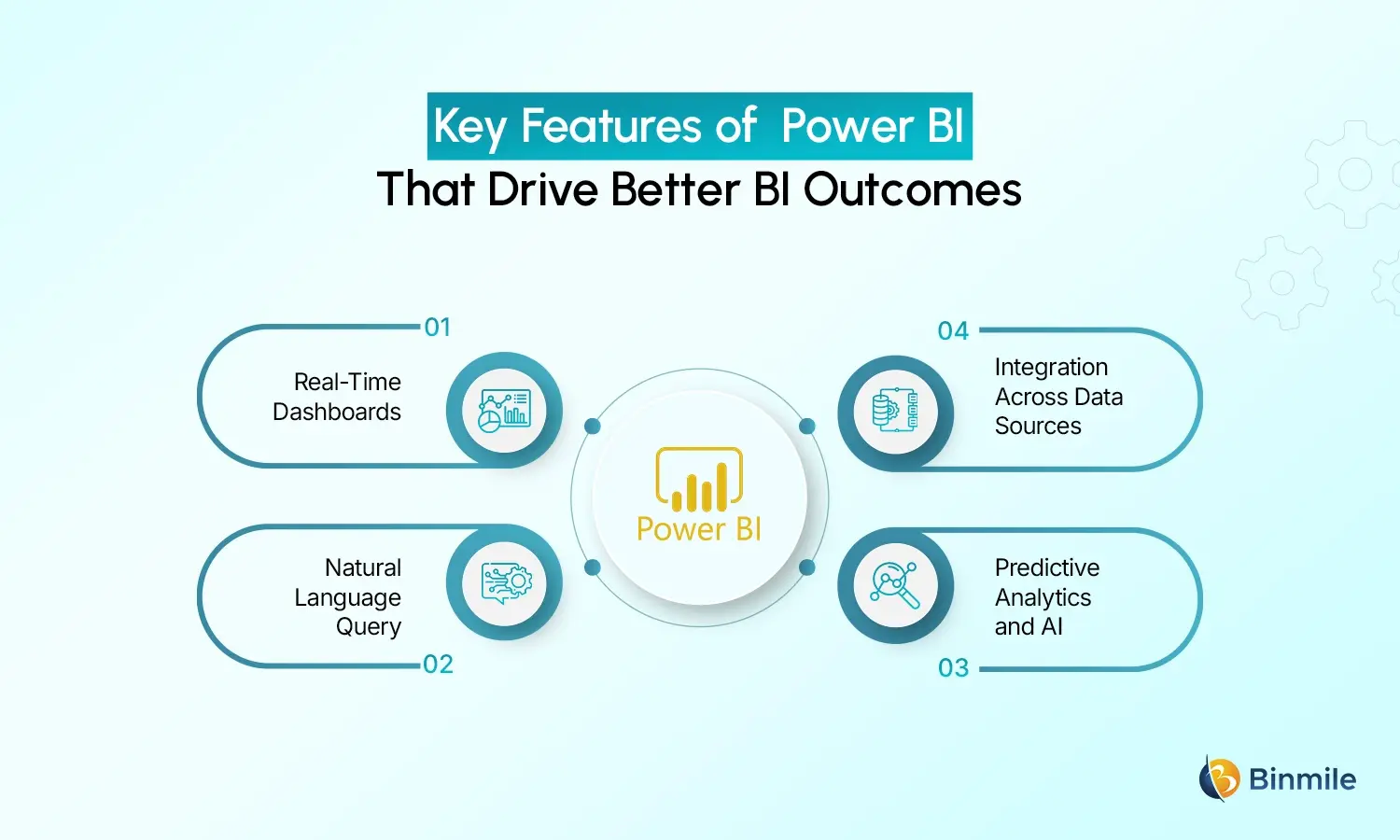
Not all BI features deliver equal business value. Here are some of the most impactful Power BI capabilities that help strengthen your strategy:
-
Real-Time Dashboards
Knowing that users are always working with the latest information is the benefit of updating dashboards in real-time. Outdated reports are no longer needed by users because verticals like sales performance or operational KPIs can be analyzed in real-time. Teams can detect emerging trends or issues in operational reports before they are finalized.
-
Natural Language Query
One of the most influential features in Power BI is the ability to ask business questions that are then converted to real-time visual reports. This function makes it much easier for non-technical professionals to work with reporting visualizations. Hence, drive performance across various business functions.
-
Predictive Analytics and AI
Organizations can leverage built-in predictive modeling frameworks that normally require external specialized data science teams. This significantly enriches a business intelligence strategy and roadmap with predictive business analytics.
-
Integration Across Data Sources
Power BI’s ability to analyze and integrate various data sources, such as cloud storage, relational databases, other applications, and even legacy systems, is an improvement for creating a comprehensive view of business performance. This consolidated view of data minimizes variations and provides actionable business intelligence.
Each of these features contributes to improved business outcomes by accelerating insights. Hence, enhancing data literacy across teams and enabling a culture of data-driven decision-making.
Looking to strengthen your Business Intelligence Strategy with Power BI for smarter decisions?

How Expert Support Can Make Your BI Strategy Succeed
Implementing a successful BI strategy often requires more than choosing software; it requires deep domain knowledge, strategic planning, and aligned execution. This is where expert partners can help. With the right guidance, organizations are better equipped to translate data initiatives into tangible business outcomes rather than isolated reporting efforts.
Experienced consultants assess your existing data landscape, refine your business intelligence implementation strategy, and business intelligence roadmap. This ensures that Power BI is configured to match your business priorities. They also help with governance, data modelling, dashboard best practices, and training, ensuring high user adoption and maximized ROI. Through structured data analytics services, Power BI implementations are aligned not just with reporting needs but with long-term decision-making goals.
By applying their expertise, organizations often see faster implementation timelines, fewer errors, and a clearer path from data to decisions. Strategic guidance also helps align BI initiatives with broader digital transformation in business goals. This makes sure business intelligence supports both operational efficiency and strategic growth. Teams such as those at Binmile work closely with stakeholders to design scalable Power BI solutions that evolve with changing business needs, ensuring analytics remain relevant as data volumes and complexity grow.
This kind of support goes beyond simple deployment and becomes part of an evolving business intelligence strategy, enabling organizations to build dashboards that matter, measure what is important, and use insights to navigate change with confidence.
Frequently Asked Questions
Power BI improves the BI Strategy because you can visualize data in real-time, you can enable self-analytics, you can generate insights using AI, and you can integrate with other systems and improve the BI Strategy.
Power BI is beneficial for every industry. For example, the Retail, Finance, Healthcare, and Manufacturing industries have a large volume of data, have many cross-functional teams, and have a need for real-time data and predictive analytics.
The company is ready for an upgrade when its data gets more complex, reporting inconsistencies arise, insights become stale, or competitors use advanced analytics for decision-making.
Consulting partners can help improve BI Strategy in Power BI through road mapping, data governance, dashboard design, user adoption, education, and Power BI consulting.
Power BI surpasses traditional reporting by enabling interactive dashboards, real-time analytics, self-service reporting, predictive insights, and cross-system integration, making it more flexible and powerful for modern data needs.
Power BI contributes by transforming raw data into actionable insights, visualizing trends, supporting predictive analytics, and empowering teams to make data-driven decisions with intuitive tools.